

Overview
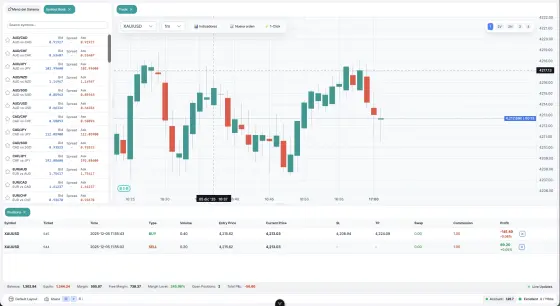
A Pipsend bot is a small TypeScript program that reacts to market events (ticks, closed candles, timers, closed positions) and can read market data, read the account, send orders and draw on the chart it is attached to.
You write a bot as a set of lifecycle hook methods. The platform compiles the code, runs it in an isolated sandbox and calls your hooks when events happen. Everything the bot can do goes through a single object, ctx, that is passed to every hook.
A minimal bot:
onInit(ctx) {
  ctx.log.info('Hello World')
},

onDispose(ctx) {
  ctx.log.info('Goodbye')
},
Main building blocks:
| Block | Purpose |
|---|---|
| Hooks | onInit, onTick, onCandleClose, onTimer, onPositionClosed, onDispose |
ctx.market |
Symbol specification, last tick, historical candles |
ctx.order |
Send, cancel, modify and close orders |
ctx.portfolio |
Open positions, balance, equity, closed-deal history |
ctx.storage |
Key-value state that lives as long as the bot runs |
ctx.log |
Messages shown in the bot output panel |
ctx.chart |
Lines, boxes, markers, tables and indicators drawn on the chart |
ctx.run / ctx.inputs |
Where the bot runs and the parameters chosen by the trader |
How a bot runs
Sandbox
- Each bot runs in its own Web Worker: a separate thread, isolated from the user interface and from other bots.
- Your TypeScript source is compiled before it starts (target ES2020).
- Every
ctxcall is an asynchronous message between the worker and the main thread. The main thread checks permissions and trading limits before anything reaches the server.
Lifecycle
Compile -> Init worker -> Send code -> 'ready' -> Set up subscriptions -> onInit -> [running] -> onDispose -> Terminate
- The source is compiled.
- A worker is created and receives the compiled code.
- The worker loads the code and reports
ready. - The main thread sets up the market data subscriptions for the symbol and timeframe the bot runs on.
onInitis dispatched.- The bot is running and receives ticks, candle closes, timer events and closed-position events.
- On stop,
onDisposeis dispatched and the worker is terminated after a 3 second timeout.
Right after start the runtime replays the most recent closed candles (about 600) through onCandleClose so that bots can build their state. While this replay runs, ctx.run.warmup is true, orders are blocked and drawings are kept. See ctx.run.
Run configuration
When a bot is started (from the toolbar or the bot manager) it receives a run configuration:
interface BotRunConfig {
  symbol: string           // Symbol to trade (e.g. 'EURUSD')
  timeframe: string        // Candle timeframe (e.g. '1m', '1h')
  chartType?: string       // Series type the chart paints (e.g. 'candlestick', 'heikin-ashi')
  timerIntervalMs?: number // Timer interval (optional)
}
The run configuration determines:
- which symbol's ticks the bot receives in
onTick; - which symbol and timeframe's candle closes trigger
onCandleClose; - the interval of
onTimercalls.
A bot bound to a chart follows the chart's timeframe like an indicator: switching the timeframe while the chart shows the bot's symbol restarts the bot on the new timeframe with the same inputs, warm-up included. Switching the chart to another symbol leaves the bot running on its own symbol and hides its drawings until the chart comes back. Switching the chart to or from Heikin Ashi restarts the bot, warm-up included; other chart type changes do not.
Read the run configuration from ctx.run instead of hardcoding the symbol.
Hook execution and timeouts
Hooks run sequentially through a priority queue: a hook must finish before the next one starts. Lower number means higher priority.
| Priority | Hook |
|---|---|
| 0 | onDispose |
| 1 | onInit |
| 2 | onPositionClosed |
| 3 | onCandleClose |
| 4 | onTimer |
| 5 | onTick |
Each hook has a maximum execution time. If it is exceeded, the worker is killed and restarted.
| Hook | Timeout |
|---|---|
onInit |
10,000 ms |
onTick |
5,000 ms |
onCandleClose |
5,000 ms |
onTimer |
5,000 ms |
onPositionClosed |
5,000 ms |
onDispose |
5,000 ms |
If the bot is slower than the event stream, events are queued or dropped:
| Hook | Policy | Capacity |
|---|---|---|
onTick |
Keep latest | 1 (older ticks are dropped) |
onCandleClose |
FIFO queue | 10 (oldest dropped) |
onTimer |
FIFO queue | 5 (oldest dropped) |
onInit |
Always queued | - |
onDispose |
Always queued | - |
A warning is logged if no tick is received for 10 seconds.
Crash recovery and kill switch
- A crashed bot is restarted automatically with exponential backoff: 1 s, 2 s, 4 s, and so on, capped at 30 s.
- At most 3 restarts are allowed within a 60 second window.
- When that limit is exceeded, the kill switch activates: the bot cannot be started until the user clears it from the bot manager. The user can also trigger the kill switch manually.
Writing your first bot
The source you write in the editor is the body of a defineBot({...}) call. The platform adds the wrapper and the metadata (id, name, version, permissions) for you, so you write only the hook methods, in method shorthand syntax, each followed by a comma.
onInit(ctx) {
  ctx.storage.set('symbol', 'EURUSD')
  ctx.storage.set('traded', false)

  const info = ctx.market.getSymbolInfo('EURUSD')
  ctx.storage.set('info', info)
},

async onCandleClose(ctx, candle) {
  if (ctx.storage.get('traded')) return

  const symbol = ctx.storage.get('symbol') as string
  const info = ctx.storage.get('info') as SymbolInfo
  const round = (v: number) => parseFloat(v.toFixed(info.digits))

  const sl = round(candle.close - 500 * info.point)
  const tp = round(candle.close + 1000 * info.point)

  try {
    const result = await ctx.order.send({
      symbol,
      type: 'market',
      side: 'buy',
      volume: info.volumeMin,
      sl,
      tp,
    })
    ctx.log.info(`Buy order placed: ${result.orderId}`)
    ctx.storage.set('traded', true)
  } catch (err) {
    ctx.log.error(`Order failed: ${err}`)
  }
},
This bot needs the permissions trade, read-market and storage. Select them when you create the bot (see Permissions).
Things to notice:
- State lives in
ctx.storage, never in top-level variables (see Rules and restrictions). - Hooks that use
awaitare markedasync. - The order is wrapped in
try/catchand the error is logged. - Stop-loss and take-profit distances use
info.point, and prices are rounded toinfo.digits.
Hooks
All hooks are optional and all of them may be async (return a Promise). They receive ctx as first argument.
| Hook | Fires | Payload |
|---|---|---|
onInit(ctx) |
Once when the bot starts, after market data is initialized | - |
onTick(ctx, tick) |
Every price tick for the configured symbol | Tick |
onCandleClose(ctx, candle) |
When a candle closes on the configured symbol and timeframe | Candle |
onTimer(ctx) |
At the configured interval | - |
onPositionClosed(ctx, deal) |
When any position of the account is fully closed | Deal |
onDispose(ctx) |
When the bot is stopped (graceful shutdown) | - |
onInit
onInit(ctx: BotContext): void | Promise<void>
Runs once at start. Use it to save the configuration in ctx.storage and to read the symbol specification. getSymbolInfo is available from this hook on. Timeout: 10 seconds.
onInit(ctx) {
  ctx.storage.set('tradeCount', 0)
  ctx.storage.set('maxDrawdown', 0)
  ctx.storage.set('closes', [])
},
onTick
onTick(ctx: BotContext, tick: Tick): void | Promise<void>
Called for each tick of the bot's symbol. If the bot is still busy when new ticks arrive, only the latest one is kept. Keep this hook fast (5 second timeout).
onTick(ctx, tick) {
  const count = (ctx.storage.get('count') as number) + 1
  ctx.storage.set('count', count)

  if (count % 100 === 0) {
    ctx.log.info(`Tick #${count}: Bid=${tick.bid} Ask=${tick.ask}`)
  }
},
onCandleClose
onCandleClose(ctx: BotContext, candle: Candle): void | Promise<void>
Called when a candle of the configured symbol and timeframe closes. This is the usual place for strategy logic, because closed-candle indicators do not repaint. Also called during the warm-up replay (check ctx.run.warmup).
onCandleClose(ctx, candle) {
  const closes = ctx.storage.get('closes') as number[]
  closes.push(candle.close)
  ctx.storage.set('closes', closes)
},
onTimer
onTimer(ctx: BotContext): void | Promise<void>
Called at the interval configured when the bot is started (timerIntervalMs).
async onTimer(ctx) {
  const balance = await ctx.portfolio.getBalance()
  const equity = await ctx.portfolio.getEquity()
  ctx.log.info(`Balance: $${balance.toFixed(2)} | Equity: $${equity.toFixed(2)}`)
},
onPositionClosed
onPositionClosed(ctx: BotContext, deal: Deal): void | Promise<void>
Called when a position is fully closed (stop loss, take profit, trailing, manual, bot, stop out). Details:
- It fires for every position of the account, not only the bot's own. Filter by
deal.tagto react only to your positions. - It requires the
read-portfoliopermission. - It is not delivered for partial closes.
deal.reasonis'bot'when the position was closed throughctx.order.closeby a bot.
async onPositionClosed(ctx, deal) {
  if (!deal.tag?.startsWith('alpha:')) return
  ctx.log.info(`Closed ${deal.symbol} by ${deal.reason}: ${deal.profit.toFixed(2)}`)
  const losses = ((ctx.storage.get('losses') as number) ?? 0) + (deal.profit < 0 ? 1 : 0)
  ctx.storage.set('losses', losses)
},
onDispose
onDispose(ctx: BotContext): void | Promise<void>
Called when the bot is stopped. Use it to log, and optionally to clear the drawings (the platform also clears them automatically when the bot stops).
onDispose(ctx) {
  ctx.chart.clearAll()
  ctx.log.info('Bot stopped')
},
The ctx API
ctx is injected into every hook.
interface BotContext {
  run: BotRunInfo
  inputs: BotInputValues
  market: BotMarketAPI
  order: BotOrderAPI
  portfolio: BotPortfolioAPI
  storage: BotStorageAPI
  log: BotLogAPI
  chart: BotChartAPI
}
ctx.run
Symbol and timeframe of the chart the bot was started on. Read the symbol from here instead of hardcoding it.
interface BotRunInfo {
  symbol: string
  timeframe: string
  /** True while the runtime replays recent history right after start; orders are blocked then. */
  warmup: boolean
  /** Series type the chart paints, e.g. 'candlestick' or 'heikin-ashi'. Missing on clients older than trader 1.10.22. */
  chartType?: string
  /** 'web' in the browser and the desktop app, 'mobile' in the phone app. Missing on clients older than trader 1.12.3. */
  platform?: 'web' | 'mobile'
}
getCandlesandonCandleClosealways carry real candles. A bot that wants to compute like a TradingView indicator on a Heikin Ashi chart must convert them itself.ctx.run.platformlets a bot keep heavy drawings off phones (for example a long history of signal markers only on the web). Treat a missing value like'mobile'so older clients stay light.
ctx.inputs
Resolved parameter values: the trader's choices merged over the defaults declared in the bot's inputs object. See Inputs.
type BotInputValues = Record<string, number | boolean | string>
ctx.market
Requires the read-market permission.
interface BotMarketAPI {
  getSymbolInfo(symbol: string): SymbolInfo | undefined
  getLastTick(symbol: string): Tick | undefined
  getCandles(symbol: string, timeframe: string, count: number): Promise<Candle[]>
}
getSymbolInfo(symbol)
| Parameters | symbol: string - symbol code, for example 'EURUSD' |
| Returns | SymbolInfo or undefined if the symbol is not tradeable on the account |
| Sync/async | Synchronous. Available after onInit |
const info = ctx.market.getSymbolInfo('EURUSD')
// { name: 'EURUSD', digits: 5, point: 0.00001, tickSize: 0.00001, contractSize: 100000,
//   volumeMin: 0.01, volumeMax: 200, volumeStep: 0.01, stopsLevel: 0, tickValue: 1,
//   baseCurrency: 'EUR', quoteCurrency: 'USD' }

const gold = ctx.market.getSymbolInfo('XAUUSD')
// { name: 'XAUUSD', digits: 2, point: 0.01, tickSize: 0.01, contractSize: 100, ..., tickValue: 1 }
Use point for price arithmetic and rounding. Do not derive the pip size from digits alone: a pip is 10 points on 5-digit forex and 3-digit JPY pairs, but on gold or indices "pip" is ambiguous and point is the only safe unit.
const round = (v: number) => parseFloat(v.toFixed(info.digits))
const sl = round(entry - 150 * info.point)
Position sizing by risk uses tickValue and volumeStep:
const riskUsd = balance * 0.01
const slTicks = Math.abs(entry - sl) / info.tickSize
const rawLots = riskUsd / (slTicks * info.tickValue)
const lots = Math.max(info.volumeMin,
  Math.min(info.volumeMax, Math.floor(rawLots / info.volumeStep) * info.volumeStep))
getLastTick(symbol)
| Parameters | symbol: string |
| Returns | Tick or undefined - the most recent tick from the local cache |
| Sync/async | Synchronous |
const tick = ctx.market.getLastTick('EURUSD')
if (tick) {
  ctx.log.info(`Bid: ${tick.bid}, Ask: ${tick.ask}`)
}
getCandles(symbol, timeframe, count)
| Parameters | symbol: string, timeframe: string, count: number |
| Returns | Promise<Candle[]>, closed candles only, oldest first |
| Sync/async | Asynchronous: sends a request to the main thread |
const candles = await ctx.market.getCandles('EURUSD', '1h', 100)
const lastCandle = candles[candles.length - 1]
- Supported timeframes:
1m,2m,3m,5m,10m,15m,30m,1h,2h,4h,1d. countgoes up to 10,000 candles (larger values are capped). Asking for a whole week of1mcandles in one call works, so a bot can compute statistics over history it does not replay.- Only closed candles are returned: the candle currently forming is never included, so indicators computed in
onCandleClosedo not repaint. - Sub-day buckets are aligned to midnight UTC (a
4hcandle starts at 00:00, 04:00, 08:00 UTC).
ctx.order
Requires the trade permission.
interface BotOrderAPI {
  send(order: OrderRequest): Promise<{ orderId: string }>
  cancel(orderId: string): Promise<void>
  modify(positionId: string, changes: PositionModifyRequest): Promise<void>
  close(positionId: string, volume?: number): Promise<void>
}
Every call that reaches the server can fail: wrap send, modify and close in try/catch and log the error.
send(order)
Sends a new order. Returns the order ID on success and throws on failure. See OrderRequest.
const result = await ctx.order.send({
  symbol: 'EURUSD',
  type: 'market',
  side: 'buy',
  volume: 0.01,
})
ctx.log.info(`Order placed: ${result.orderId}`)
Market order with SL and TP, using point and digits from the symbol specification:
const info = ctx.market.getSymbolInfo('EURUSD')
const round = (v: number) => parseFloat(v.toFixed(info.digits))

const tick = ctx.market.getLastTick('EURUSD')
const sl = round(tick.ask - 500 * info.point) // 500 points below entry
const tp = round(tick.ask + 1000 * info.point) // 1000 points above entry

await ctx.order.send({
  symbol: 'EURUSD',
  type: 'market',
  side: 'buy',
  volume: 0.01,
  sl,
  tp,
})
SL and TP values must be rounded to the symbol's digits precision. The server rejects values with too many decimal places.
Limit order:
await ctx.order.send({
  symbol: 'EURUSD',
  type: 'limit',
  side: 'buy',
  volume: 0.1,
  price: 1.0950,  // Limit entry price
  sl: 1.0900,
  tp: 1.1000,
})
Stop order:
await ctx.order.send({
  symbol: 'EURUSD',
  type: 'stop',
  side: 'sell',
  volume: 0.05,
  price: 1.0850,  // Stop entry price
})
Tagging positions. getPositions() returns every open position of the account, including manual ones and those of other bots. Send a tag with each order and filter by it to find your own positions. A tag with a unique suffix lets a bot tell its own positions apart:
const tag = `alpha:${candle.time}:tp1`
await ctx.order.send({ symbol, type: 'market', side: 'buy', volume, sl, tp, tag })

const mine = (await ctx.portfolio.getPositions()).filter((p) => p.tag?.startsWith('alpha:'))
cancel(orderId)
Cancels a pending order (limit or stop). Returns Promise<void>.
await ctx.order.cancel('12345')
modify(positionId, changes)
Changes the stop loss and/or take profit of an open position.
- Omit a field to keep it, pass
nullto remove it, pass a price to set it. - At least one field is required.
- Prices must be rounded to the symbol's
digits. - Does not count against the orders-per-minute limit.
const positions = await ctx.portfolio.getPositions()
for (const pos of positions) {
  if (pos.symbol !== 'EURUSD') continue
  const info = ctx.market.getSymbolInfo(pos.symbol)
  const round = (v: number) => parseFloat(v.toFixed(info.digits))
  const breakEven = round(pos.entryPrice)
  await ctx.order.modify(pos.id, { sl: breakEven })
}

await ctx.order.modify(pos.id, { tp: null })
close(positionId, volume?)
Closes an open position with a market order.
- Without
volumethe whole position is closed; withvolume(in lots) only that part is closed. - The close is asynchronous: the call resolves when the server accepts the order, and the position disappears from
getPositions()once the fill is processed. - Counts as one order for the orders-per-minute limit.
- Throws if a close is already in flight for that position or if the position is already closed.
await ctx.order.close(pos.id)
await ctx.order.close(pos.id, 0.05)
ctx.portfolio
Requires the read-portfolio permission. Portfolio data is pushed from the main thread every 2 seconds, so values can lag slightly behind the market.
interface BotPortfolioAPI {
  getPositions(): Promise<Position[]>
  getBalance(): Promise<number>
  getEquity(): Promise<number>
  getHistory(query?: HistoryQuery): Promise<Deal[]>
}
getPositions()
Returns all open positions of the account, including manual ones and those of other bots. Filter by tag to find your own. See Position.
const positions = await ctx.portfolio.getPositions()
ctx.log.info(`Open positions: ${positions.length}`)

for (const pos of positions) {
  ctx.log.info(`${pos.side} ${pos.volume} ${pos.symbol} @ ${pos.entryPrice} pnl=${pos.profit.toFixed(2)} tag=${pos.tag ?? '-'}`)
}
getBalance()
Returns the account balance as Promise<number>.
const balance = await ctx.portfolio.getBalance()
ctx.log.info(`Balance: $${balance.toFixed(2)}`)
getEquity()
Returns the account equity (balance plus floating profit and loss) as Promise<number>.
const equity = await ctx.portfolio.getEquity()
ctx.log.info(`Equity: $${equity.toFixed(2)}`)
getHistory(query?)
Returns closed positions of the account as Deal objects, oldest first. Asynchronous: queries the server. See HistoryQuery for the filters (the default limit is 100 and the maximum is 200).
const since = Date.now() - 7 * 24 * 60 * 60 * 1000
const deals = await ctx.portfolio.getHistory({ symbol: 'EURUSD', from: since })
const mine = deals.filter((d) => d.tag?.startsWith('alpha:'))
const net = mine.reduce((sum, d) => sum + d.profit + d.commission + d.swap, 0)
ctx.log.info(`Weekly net: ${net.toFixed(2)} over ${mine.length} deals`)
reason is 'bot' for positions closed through ctx.order.close by any bot: the close is recorded on the server, so it survives restarts and appears in getHistory(). Use tag to attribute deals to a specific bot.
ctx.storage
Requires the storage permission. In-memory key-value store for the bot's state. Reads and writes are synchronous. Data persists for the bot's lifetime and is cleared when the bot stops.
interface BotStorageAPI {
  get<T = unknown>(key: string): T | undefined
  set<T = unknown>(key: string, value: T): void
  delete(key: string): void
}
Because bot code runs inside an object literal, you cannot use top-level variables. Use ctx.storage for all state. Storage calls are rate limited (see Limits).
onInit(ctx) {
  ctx.storage.set('tradeCount', 0)
  ctx.storage.set('closes', [])
},

onCandleClose(ctx, candle) {
  const count = ctx.storage.get('tradeCount') as number
  const closes = ctx.storage.get('closes') as number[]
  closes.push(candle.close)
  ctx.storage.set('closes', closes)
},
ctx.log
Writes messages to the bot output panel.
interface BotLogAPI {
  info(message: string, ...args: unknown[]): void
  warn(message: string, ...args: unknown[]): void
  error(message: string, ...args: unknown[]): void
  debug(message: string, ...args: unknown[]): void
}
ctx.log.info('Bot started')
ctx.log.warn('Low margin detected')
ctx.log.error(`Order failed: ${err}`)
ctx.log.debug(`Tick: ${tick.bid}/${tick.ask}`)
Logs are rate limited: 50 messages of burst, refilled at 10 per second. Messages longer than 2,000 characters are truncated. Log signals, orders and closes, but do not log on every tick.
ctx.chart
Draws on the chart the bot is bound to. No permission is required. All methods are fire-and-forget. Methods that create an object return its id; pass your own id to replace an object in place.
- Times are in milliseconds, the same unit as
candle.time. - A bot can keep at most 200 objects on the chart at once. Beyond that, new drawings are ignored and a warning is logged until some are removed. All bar markers added with
addMarkercount as a single object, and so do all time labels. - Drawings are removed when the bot stops. If the chart the bot was started from is closed, chart commands are dropped silently.
- Reuse fixed ids (
'sl-' + pos.id,'stats') instead of creating new objects on every candle.
interface BotChartAPI {
  addIndicator(config: { type: string; [key: string]: unknown }): void
  removeIndicator(type: string): void

  drawLine(config: BotChartLine): string
  updateLine(id: string, config: { price?: number; priceEnd?: number; color?: string; label?: string; timeEnd?: number }): void
  removeLine(id: string): void

  drawBox(config: BotChartBox): string
  updateBox(id: string, config: Partial<Omit<BotChartBox, 'id'>>): void
  removeBox(id: string): void

  drawMarker(config: BotChartPriceMarker): string
  removeMarker(id: string): void

  addMarker(config: BotChartBarMarker): void
  removeBarMarker?(id: string): void
  clearMarkers(): void

  drawTimeLabel?(config: BotChartTimeLabel): string
  removeTimeLabel?(id: string): void

  drawTable(config: BotChartTable): string
  removeTable(id: string): void

  drawPolyline(config: BotChartPolyline): string
  removePolyline(id: string): void

  clearAll(): void
}
Methods marked ? are missing on older clients; check with typeof ctx.chart.removeBarMarker === 'function' before using them.
Indicators
addIndicator shows one of the chart's built-in indicators on the chart the bot is bound to. It does not create new calculations.
ctx.chart.addIndicator({ type: 'rsi' })
ctx.chart.removeIndicator('rsi')
How it behaves (verified in the trader app):
- Only
typeis read. Other fields such asperiodare ignored: the indicator is added with the chart's default settings, and the trader can change them from the indicator's own settings. - For indicators that allow several instances (marked multiple below), every
addIndicatorcall adds one more instance, so calling it on each start stacks duplicates. For the others, the call toggles: if the indicator is already on the chart it is removed. removeIndicator(type)removes every instance of that type.- Unknown types do nothing.
- The indicator belongs to the chart, not to the bot: it is not removed when the bot stops, and it can already be there when the bot starts. Check with your own state (
ctx.storage) before adding, and remove what you added inonDispose.
type |
Draws | Group | Multiple |
|---|---|---|---|
sma, ema, wma |
over the candles | trend | yes |
bollinger |
over the candles | trend | yes |
superTrend |
over the candles | trend | yes |
sessions, parabolicSar, pivotPoints, ichimoku |
over the candles | trend | no |
keltner, donchian |
over the candles | volatility | yes |
vwap |
over the candles | volume | no |
rsi, macd, stochastic, adx, cci, williamsR |
own pane below | momentum | yes |
mfi |
own pane below | volume | yes |
atr |
own pane below | volatility | yes |
volume, obv, volumeProfile |
own pane below | volume | no |
Custom indicators
Bots cannot register a new indicator or plot in a separate pane. To show your own calculation, compute it in the bot and draw it over the candles:
- a series of values as a line:
drawPolylinewith one{ time, price }point per candle - levels, channels and zones:
drawLineanddrawBox - signals:
drawMarkeroraddMarker - a small summary of values:
drawTable
Reuse fixed ids and updateLine, updateBox or a drawPolyline with the same id to refresh the drawing on each candle instead of creating new objects, and remember the limit of 200 objects per bot. Values that do not live on the price scale (an oscillator between 0 and 100, for example) cannot be plotted in their own pane; show them in a drawTable or compute them and add the matching built-in indicator.
Lines
BotChartLine fields:
| Field | Type | Description |
|---|---|---|
id |
string? |
Reuse an id to replace the line |
price |
number |
Price level |
color |
string? |
CSS color |
label |
string? |
Text shown on the price axis |
style |
'solid' | 'dashed' | 'dotted' |
Line style |
timeStart |
number? |
Start time (ms). Without it the line spans the whole chart |
timeEnd |
number? |
End time (ms). Without it a segment extends to the right edge |
priceEnd |
number? |
Price at timeEnd: the segment is drawn between (timeStart, price) and (timeEnd, priceEnd) |
width |
number? |
Line width in pixels, 1 to 4 |
priceLabel |
boolean? |
Set to false to hide the price-axis label (useful for many short segments) |
Without timeStart the line spans the whole chart and shows its level on the price axis. With timeStart it is a segment. A segment does not draw its label; put a drawMarker anchored left at its end instead (see Markers).
const sl = ctx.chart.drawLine({ price: 1.0850, color: '#EF4444', label: 'SL', style: 'dashed' })
ctx.chart.updateLine(sl, { price: 1.0860 })

ctx.chart.drawLine({ id: `tp-${pos.id}`, price: tp, color: '#22C55E', label: 'TP',
  timeStart: candle.time, timeEnd: candle.time + 15 * 60 * 60 * 1000 })
ctx.chart.removeLine(`tp-${pos.id}`)
Boxes
A shaded rectangle between two prices over a time range. Use it for supply and demand zones, order blocks or session ranges. Omit timeEnd to extend the box 15 bars past the last candle.
BotChartBox fields:
| Field | Type | Description |
|---|---|---|
id |
string? |
Reuse an id to replace the box |
timeStart |
number |
Start time (ms) |
timeEnd |
number? |
End time (ms) |
top, bottom |
number |
Prices. top === bottom gives a flat level carrying its own label |
color |
string? |
Fill color |
borderColor |
string? |
Border color. 'rgba(0,0,0,0)' hides the border |
borderWidth |
number? |
Border width |
opacity |
number? |
Fill opacity from 0 to 1, 0.15 by default |
label |
string? |
Box label |
labelPosition |
'top-left' | 'top-right' | 'bottom-left' | 'bottom-right' | 'center' | 'left' | 'right' |
left and right centre the text vertically; centred and right-hand labels stay on the visible part of a box that extends past the screen |
labelColor, labelBackground |
string? |
Label colors |
labelSize |
number? |
Label font size |
ctx.chart.drawBox({
  id: 'poi-1',
  timeStart: candle.time,
  top: candle.high,
  bottom: candle.low,
  color: '#F59E0B',
  label: 'POI',
})
ctx.chart.updateBox('poi-1', { timeEnd: Date.now() })
ctx.chart.removeBox('poi-1')
A zone with a flat level carrying its own label, the way supply and demand indicators mark a point of interest:
ctx.chart.drawBox({ id: 'z1', timeStart: pivot.time, timeEnd: far, top, bottom, color: '#EF4444',
  borderColor: 'rgba(0,0,0,0)', label: 'SUPPLY', labelPosition: 'center', labelBackground: 'rgba(0,0,0,0)' })
ctx.chart.drawBox({ id: 'z1-poi', timeStart: pivot.time, timeEnd: far, top: poi, bottom: poi, color: '#6B7280',
  borderColor: '#6B7280', label: 'POI', labelPosition: 'left', labelBackground: 'rgba(0,0,0,0)', labelSize: 10 })
Markers
drawMarker anchors a label to an exact price and time. addMarker is the classic bar marker above or below a candle.
BotChartPriceMarker (drawMarker):
| Field | Type | Description |
|---|---|---|
id |
string? |
Reuse an id to replace the marker |
time |
number |
Time (ms) |
price |
number |
Price |
text |
string |
Label text |
color |
string? |
Background color of the label |
textColor |
string? |
Text color |
opacity |
number? |
Background opacity from 0 to 1; 0 leaves plain text |
size |
number? |
Size |
anchor |
'top-left' | 'left' | 'right' | 'center' |
Where (time, price) sits on the label. left and right centre it on the price, like a label at the end of a line |
pointer |
boolean? |
Draws a tail from the label to the point, for left and right anchors |
radius |
number? |
Corner radius |
shape |
'arrowUp' | 'arrowDown' | 'label' |
Marker shape |
BotChartBarMarker (addMarker):
| Field | Type | Description |
|---|---|---|
id |
string? |
Repeating an id replaces the marker; removeBarMarker(id) takes it off |
time |
number |
Candle time (ms) |
position |
'above' | 'below' |
Placement relative to the candle |
color |
string? |
Marker color |
shape |
'circle' | 'arrowUp' | 'arrowDown' | 'square' | 'tag' | 'xcross' |
A marker with a label becomes a tag bubble, except xcross, which keeps its text beside it |
label |
string? |
Text |
size |
number? |
Scales the shape |
textColor |
string? |
Text color |
ctx.chart.drawMarker({ time: candle.time, price: candle.close, text: 'BUY', color: '#22C55E', shape: 'arrowUp' })
ctx.chart.addMarker({ time: candle.time, position: 'below', shape: 'arrowUp', color: '#22C55E', label: 'BUY' })
ctx.chart.clearMarkers()
By default a price marker's label hangs below and to the right of (time, price). A label that reads at the end of an SL or TP line:
ctx.chart.drawLine({ id: 'sl', price: sl, color: '#EF4444', timeStart: candle.time, timeEnd: end, priceLabel: false })
ctx.chart.drawMarker({ id: 'sl-label', time: end, price: sl, text: '✕ SL ' + sl, color: '#EF4444',
  anchor: 'left', pointer: true, radius: 3 })
Give a bar marker an id to manage it on its own: adding another marker with the same id replaces it, and removeBarMarker(id) removes only that one, which suits a signal shown while the candle is still forming. removeBarMarker is missing on clients older than trader 1.10.19, so check that it is a function and fall back to signalling on candle close.
if (typeof ctx.chart.removeBarMarker === 'function') {
  ctx.chart.addMarker({ id: 'live', time: bar.time, position: 'above', color: '#DF484C', label: 'SELL' })
  ctx.chart.removeBarMarker('live')
}
Time labels
drawTimeLabel writes a short text under the bar of time, pinned a few pixels above the bottom edge of the chart. It does not depend on price, so it stays in place while the price scale scrolls or zooms. It is meant for a row of day names or session tags under the candles. Drawing again with the same id replaces the label, removeTimeLabel(id) removes it, and all of them count as one chart object. Both are missing on clients older than trader 1.12.3.
Fields: id?, time, text, color?, size? (font size in pixels, 11 by default).
if (typeof ctx.chart.drawTimeLabel === 'function') {
  ctx.chart.drawTimeLabel({ id: 'day-' + candle.time, time: candle.time, text: 'MON', color: '#787B86' })
}
Tables
A small text panel in a corner of the chart. Redraw with the same id to refresh it.
BotChartTable fields: id?, position? ('top-left' | 'top-right' | 'bottom-left' | 'bottom-right'), title?, bordered? (draws a thin grid between cells) and rows. A cell is a string or { text, color?, background?, bold? }, enough to colour a win rate or highlight a total column.
const deals = await ctx.portfolio.getHistory({ from: Date.now() - 7 * 86_400_000 })
const wins = deals.filter((d) => d.profit > 0).length
ctx.chart.drawTable({
  id: 'stats',
  position: 'top-right',
  title: 'Weekly',
  rows: [
    ['Deals', String(deals.length)],
    ['Win rate', `${deals.length ? Math.round((wins / deals.length) * 100) : 0}%`],
    ['Net', deals.reduce((s, d) => s + d.profit + d.commission + d.swap, 0).toFixed(2)],
  ],
})
Polylines
A connected path through several { time, price } points, drawn as one chart object. Use it for stepped or custom lines. Fields: id?, points: { time: number; price: number }[], color?, width?, style? ('solid' | 'dashed' | 'dotted'). removePolyline(id) removes it.
ctx.chart.drawPolyline({
  id: 'trend',
  points: [{ time: t0, price: level }, { time: t1, price: level }],
  color: '#4899AC',
  width: 2,
  style: 'solid',
})
ctx.chart.removePolyline('trend')
Cleanup
onDispose(ctx) {
  ctx.chart.clearAll()
},
clearAll() removes every object the bot drew, including tables. The platform calls it automatically when the bot stops.
Inputs (configurable parameters)
A bot can declare an inputs object next to its hooks. The platform renders it as a settings dialog, so the trader can tune parameters without touching the code. The resolved values (the trader's choices over the defaults) are available as ctx.inputs.
interface BotInputDef {
  type: 'number' | 'boolean' | 'string' | 'select'
  label?: string          // text shown next to the field
  description?: string
  default: number | boolean | string
  min?: number
  max?: number
  step?: number
  options?: Array<string | number | { value: string | number; label?: string }>  // for type 'select'
  group?: string          // section title in the configuration dialog
  locked?: boolean        // shown but not editable; the default always applies
}
inputs: {
  riskPct: { type: 'number', label: 'Risk per trade (%)', default: 0.5, min: 0.05, max: 5, step: 0.05, group: 'Management' },
  dryRun: { type: 'boolean', label: 'Dry-run mode (does not send orders)', default: true, group: 'Management' },
  trendTf: { type: 'select', label: 'Reference timeframe', default: '15m', options: ['5m', '15m', '30m', '1h', '4h'], group: 'Filter' },
},

onInit(ctx) {
  const p = ctx.inputs as any
  ctx.storage.set('cfg', { symbol: ctx.run.symbol, riskPct: p.riskPct, dryRun: p.dryRun, trendTf: p.trendTf })
},
inputs is a property of the object literal, not a declaration, so it is allowed at the top level of the bot body. Copy the values you need into ctx.storage in onInit.
Types
All times are in milliseconds since epoch.
Tick
interface Tick {
  time: number  // Milliseconds since epoch
  bid: number   // Bid price
  ask: number   // Ask price
}
Candle
interface Candle {
  time: number    // Milliseconds since epoch
  open: number
  high: number
  low: number
  close: number
  volume: number
}
SymbolInfo
interface SymbolInfo {
  name: string           // Symbol display name
  digits: number         // Decimal precision (5 for EURUSD, 2 for XAUUSD)
  point: number          // Smallest price increment by digits: 10^-digits
  tickSize: number       // Minimum price step accepted by the broker (usually equals point)
  contractSize: number   // Units per 1.0 lot (100000 for forex majors, 100 for gold)
  volumeMin: number      // Minimum lot size
  volumeMax: number      // Maximum lot size
  volumeStep: number     // Lot increment
  stopsLevel: number     // Minimum SL/TP distance from price, in points (0 = not enforced)
  tickValue: number      // Value of one tickSize move for 1.0 lot, in quote currency
  baseCurrency?: string  // 'EUR' in EURUSD
  quoteCurrency?: string // 'USD' in EURUSD
}
tickValue is contractSize * tickSize expressed in the quote currency. When the quote currency differs from the account currency (EURGBP on a USD account), convert it with the current GBPUSD rate before using it for risk sizing.
stopsLevel is currently always 0: the platform does not enforce a minimum stop distance. It exists so bots written today keep working if a broker-side limit is added later.
OrderRequest
interface OrderRequest {
  symbol: string                     // Symbol code (e.g. 'EURUSD', 'XAUUSD')
  type: 'market' | 'limit' | 'stop' // Order type
  side: 'buy' | 'sell'              // Trade direction
  volume: number                     // Lot size (e.g. 0.01)
  price?: number                     // Required for 'limit' and 'stop' orders
  sl?: number                        // Stop loss price (optional)
  tp?: number                        // Take profit price (optional)
  tag?: string                       // Free text stored on the position, max 64 chars (optional)
}
PositionModifyRequest
interface PositionModifyRequest {
  sl?: number | null  // omit = keep, null = remove, number = set
  tp?: number | null
}
Position
interface Position {
  id: string           // Position ID (use it for order.modify / order.close)
  symbol: string       // Symbol code
  volume: number       // Lot size
  side: 'buy' | 'sell' // Direction
  entryPrice: number   // Average entry price
  sl?: number          // Current stop loss, undefined if none
  tp?: number          // Current take profit, undefined if none
  openTime: number     // Open timestamp in ms
  profit: number       // Floating P/L in account currency (refreshed every 2s)
  tag?: string         // Tag sent with the opening order, undefined for manual positions
}
Deal
type DealReason = 'tp' | 'sl' | 'trailing' | 'manual' | 'bot' | 'stopout' | 'admin' | 'unknown'

interface Deal {
  positionId: string
  symbol: string
  side: 'buy' | 'sell'
  volume: number       // Lots
  entryPrice: number
  closePrice: number
  openTime: number     // ms
  closeTime: number    // ms
  profit: number       // Realized P/L in account currency, before commission and swap
  commission: number
  swap: number
  reason: DealReason
  tag?: string         // Tag sent with the opening order
}
Net result of a deal: profit + commission + swap.
HistoryQuery
interface HistoryQuery {
  symbol?: string  // Symbol code filter
  from?: number    // Close time >= from (ms)
  to?: number      // Close time <= to (ms)
  limit?: number   // Max deals, default 100, max 200
}
Timeframes
'1m', '2m', '3m', '5m', '10m', '15m', '30m', '1h', '2h', '4h', '1d'.
Permissions
Bots declare the permissions they need when they are created. A call made without its permission is rejected silently, so a missing permission shows up as a bot that does nothing rather than as an error.
type BotPermission = 'trade' | 'read-market' | 'read-portfolio' | 'storage'
| Permission | Required for |
|---|---|
trade |
ctx.order (send, cancel, modify, close) |
read-market |
ctx.market.getCandles(), ctx.market.getLastTick(), ctx.market.getSymbolInfo() |
read-portfolio |
ctx.portfolio.getPositions(), getBalance(), getEquity(), getHistory(), and the onPositionClosed hook |
storage |
ctx.storage.get(), ctx.storage.set(), ctx.storage.delete() |
ctx.log, ctx.chart, ctx.run and ctx.inputs need no permission.
A typical trading bot needs all four permissions: trade, read-market, read-portfolio, storage.
Rules and restrictions
Code format
The code you write is the body of an object literal, defineBot({...}), that the platform wraps around it. Therefore:
Do
- Write only hook methods in shorthand syntax, each ending with a comma:
onInit(ctx) { ... }, - Mark hooks that use
awaitasasync. - Keep all state in
ctx.storage. Save the configuration (symbol, lot size, periods, distances) inonInit. - Declare helper functions inside the hook that uses them.
- Use an optional
inputs: { ... },property for trader-tunable parameters.
Don't
- Use
defineBot,export,importorrequire, or areturnat the end of the body. - Declare top-level
const,let,var,functionorclass. - Forget the trailing comma after a hook.
Correct:
onInit(ctx) {
  ctx.storage.set('count', 0)
  ctx.storage.set('active', false)
},

async onCandleClose(ctx, candle) {
  const count = (ctx.storage.get('count') as number) + 1
  ctx.storage.set('count', count)
  // ...
},
Incorrect:
// ERROR: top-level const is not valid inside an object literal
const count = 0

onInit(ctx) {
  // ...
},
Time units
Every time value is in milliseconds: candle.time, tick.time, deal.closeTime, position.openTime, and the timeStart, timeEnd and time fields of chart objects. One day is 86_400_000 ms.
Prices, volumes and risk
- Express price distances in
info.point. Never deduce the pip size fromdigits. - Round
slandtpwithparseFloat(v.toFixed(info.digits)). - Volume is in lots. Size by risk:
lots = riskUSD / (slTicks * tickValue), rounded down tovolumeStepand clamped tovolumeMin/volumeMax. - If there are fewer candles than the indicator period, return without trading.
- Orders are blocked while
ctx.run.warmupistrue.
Good practice
- Send a
tagwith every order: a short bot prefix plus a unique suffix (for example'alpha:' + candle.time, up to 64 characters). FiltergetPositions()and deals by that prefix so the bot only manages its own positions. - Wrap every
order.send,modifyandcloseintry/catchand log the error. - Use one strategy per bot. Log signals, orders and closes with
ctx.log.info. - Reuse fixed ids for drawings instead of creating new ones every candle.
- Keep comments short and only where the logic is not obvious.
Limits
Trading guards
| Rule | Default | Description |
|---|---|---|
| Max orders per minute | 10 | Maximum order submissions per minute (modify does not count) |
| Max open positions | 20 | Maximum concurrent open positions |
| Daily loss limit | 5% | Maximum daily loss as a percentage of starting equity |
| Cooldown on breach | 60 s | Trading is paused after any limit is hit |
Message rate limits
| Category | Burst | Refill rate | Max length |
|---|---|---|---|
| Logs | 50 | 10 per second | 2,000 characters |
| Storage | 20 | 5 per second | - |
Other limits
| Item | Limit |
|---|---|
| Hook timeout | 10 s for onInit, 5 s for every other hook |
getCandles count |
10,000 (larger values are capped) |
getHistory limit |
200 deals (default 100) |
Order tag |
64 characters |
| Chart objects per bot | 200 (all bar markers count as one, all time labels count as one) |
| Restarts after a crash | 3 per 60 seconds, then the kill switch activates |
Complete examples
Minimal bot
onInit(ctx) {
  ctx.log.info('Hello World')
},

onDispose(ctx) {
  ctx.log.info('Goodbye')
},
Tick logger
onInit(ctx) {
  ctx.storage.set('count', 0)
},

onTick(ctx, tick) {
  const count = (ctx.storage.get('count') as number) + 1
  ctx.storage.set('count', count)

  if (count % 100 === 0) {
    ctx.log.info(`Tick #${count}: Bid=${tick.bid} Ask=${tick.ask}`)
  }
},
SMA crossover with risk-based sizing
Buys when the 10-period average is above the 20-period average, sizes the lot from the account balance, tags the order, and draws the trade and a weekly statistics table. Permissions: trade, read-market, read-portfolio, storage.
onInit(ctx) {
  ctx.storage.set('symbol', 'EURUSD')
  ctx.storage.set('riskPct', 1)
  const info = ctx.market.getSymbolInfo('EURUSD')
  ctx.storage.set('info', info)
  ctx.log.info('Bot started')
},

async onCandleClose(ctx, candle) {
  const symbol = ctx.storage.get('symbol') as string
  const info = ctx.storage.get('info') as SymbolInfo
  const round = (v: number) => parseFloat(v.toFixed(info.digits))

  const candles = await ctx.market.getCandles(symbol, '15m', 60)
  if (candles.length < 20) return
  const sma = (n: number) => candles.slice(-n).reduce((a, c) => a + c.close, 0) / n

  const mine = (await ctx.portfolio.getPositions()).filter((p) => p.tag?.startsWith('alpha:'))
  if (mine.length > 0) return

  if (sma(10) > sma(20)) {
    const sl = round(candle.close - 150 * info.point)
    const tp = round(candle.close + 200 * info.point)
    const balance = await ctx.portfolio.getBalance()
    const riskUsd = balance * ((ctx.storage.get('riskPct') as number) / 100)
    const slTicks = Math.abs(candle.close - sl) / info.tickSize
    const raw = riskUsd / (slTicks * info.tickValue)
    const volume = Math.max(info.volumeMin, Math.min(info.volumeMax, Math.floor(raw / info.volumeStep) * info.volumeStep))
    try {
      await ctx.order.send({ symbol, type: 'market', side: 'buy', volume, sl, tp, tag: 'alpha:' + candle.time })
      ctx.chart.drawMarker({ time: candle.time, price: candle.close, text: 'BUY', color: '#22C55E', shape: 'arrowUp' })
      ctx.chart.drawLine({ id: 'sl', price: sl, color: '#EF4444', label: 'SL', style: 'dashed', timeStart: candle.time })
      ctx.log.info('BUY ' + volume + ' @ ' + candle.close)
    } catch (err) {
      ctx.log.error('Order failed: ' + err)
    }
  }
},

async onPositionClosed(ctx, deal) {
  if (!deal.tag?.startsWith('alpha:')) return
  ctx.chart.removeLine('sl')
  const deals = (await ctx.portfolio.getHistory({ from: Date.now() - 7 * 86400000 })).filter((d) => d.tag?.startsWith('alpha:'))
  const wins = deals.filter((d) => d.profit > 0).length
  ctx.chart.drawTable({
    id: 'stats', position: 'top-right', title: 'Alpha 7d',
    rows: [['Deals', String(deals.length)], ['Win', deals.length ? Math.round((wins / deals.length) * 100) + '%' : '-']],
  })
  ctx.log.info('Closed by ' + deal.reason + ': ' + deal.profit.toFixed(2))
},

onDispose(ctx) {
  ctx.chart.clearAll()
  ctx.log.info('Bot stopped')
},
Portfolio monitor
Logs balance, equity and open positions on every timer tick. Permissions: read-portfolio, storage.
onInit(ctx) {
  ctx.storage.set('startEquity', 0)
  ctx.storage.set('initialized', false)
},

async onTimer(ctx) {
  const balance = await ctx.portfolio.getBalance()
  const equity = await ctx.portfolio.getEquity()
  const positions = await ctx.portfolio.getPositions()

  let startEquity = ctx.storage.get('startEquity') as number
  if (!ctx.storage.get('initialized')) {
    startEquity = equity
    ctx.storage.set('startEquity', startEquity)
    ctx.storage.set('initialized', true)
  }

  const pnlPercent = startEquity > 0 ? ((equity - startEquity) / startEquity * 100) : 0

  ctx.log.info(`Balance: $${balance.toFixed(2)} | Equity: $${equity.toFixed(2)} | P/L: ${pnlPercent.toFixed(2)}%`)
  ctx.log.info(`Open positions: ${positions.length}`)

  for (const pos of positions) {
    ctx.log.debug(`  ${pos.side.toUpperCase()} ${pos.volume} ${pos.symbol} @ ${pos.entryPrice}`)
  }
},
Chart demo: support, resistance and markers
Draws dynamic support and resistance lines, adds RSI, and marks strong bullish and bearish candles. Permissions: read-market, storage.
onInit(ctx) {
  ctx.log.info('Chart Demo started')

  ctx.storage.set('lookback', 20)
  ctx.storage.set('closes', [])
  ctx.storage.set('highestHigh', 0)
  ctx.storage.set('lowestLow', Infinity)

  // Add RSI indicator to the chart
  ctx.chart.addIndicator({ type: 'rsi' })
},

onCandleClose(ctx, candle) {
  const LOOKBACK = ctx.storage.get('lookback') as number
  const closes = ctx.storage.get('closes') as number[]
  let highestHigh = ctx.storage.get('highestHigh') as number
  let lowestLow = ctx.storage.get('lowestLow') as number

  closes.push(candle.close)

  if (closes.length < LOOKBACK) {
    ctx.log.debug(`Collecting data: ${closes.length}/${LOOKBACK}`)
    ctx.storage.set('closes', closes)
    return
  }

  // Keep only the last LOOKBACK candles
  const recent = closes.slice(-LOOKBACK)
  ctx.storage.set('closes', recent)

  const newHigh = Math.max(...recent)
  const newLow = Math.min(...recent)

  // Update resistance line when high changes
  if (newHigh !== highestHigh) {
    highestHigh = newHigh
    ctx.storage.set('highestHigh', highestHigh)
    ctx.chart.drawLine({
      id: 'resistance',
      price: highestHigh,
      color: '#EF4444',
      label: 'Resistance',
      style: 'dashed',
    })
    ctx.log.info(`Resistance updated: ${highestHigh.toFixed(5)}`)
  }

  // Update support line when low changes
  if (newLow !== lowestLow) {
    lowestLow = newLow
    ctx.storage.set('lowestLow', lowestLow)
    ctx.chart.drawLine({
      id: 'support',
      price: lowestLow,
      color: '#22C55E',
      label: 'Support',
      style: 'dashed',
    })
    ctx.log.info(`Support updated: ${lowestLow.toFixed(5)}`)
  }

  // Mark strong bullish candles (close near high)
  const range = candle.high - candle.low
  if (range > 0 && (candle.close - candle.low) / range > 0.8) {
    ctx.chart.addMarker({
      time: candle.time,
      position: 'below',
      color: '#22C55E',
      shape: 'arrowUp',
      label: 'Bull',
    })
  }

  // Mark strong bearish candles (close near low)
  if (range > 0 && (candle.high - candle.close) / range > 0.8) {
    ctx.chart.addMarker({
      time: candle.time,
      position: 'above',
      color: '#EF4444',
      shape: 'arrowDown',
      label: 'Bear',
    })
  }
},

onDispose(ctx) {
  ctx.log.info('Chart Demo stopped')
  // Bot drawings are cleared automatically on stop
},
Testing your bot
- Create the bot in the bot editor. Give it a name and a version and select the permissions it needs.
- Compile. Press Compile and open the Compilation tab. A green OK badge means the TypeScript compiled. Syntax errors (for example a missing closing brace) are listed with line numbers and the bot status changes to Error.
- Start. The status goes from Idle to Compiling to Running. Open the Logs tab: the messages from
onInitappear there in real time, colour-coded by level (info,warn,error,debug). - Stop. The status changes to Stopped and the
onDisposelog message appears. Starting again creates a new worker, so logs and storage start from scratch. - Export and import. A bot can be exported as a
.pipfile (a ZIP containingmanifest.jsonwith id, name, version and permissions, andbot.tswith the source) and imported again from the bot list.
Tips:
-
Start with a log-only bot to check the pipeline:
onInit(ctx) { ctx.log.info('Bot started!') ctx.log.warn('This is a warning log') ctx.log.debug('Debug info: everything is working') }, onDispose(ctx) { ctx.log.info('Bot stopped. Goodbye!') }, -
Expose a
dryRuninput (defaulttrue) and return beforectx.order.sendwhile it is on, so you can watch signals and drawings before risking capital. -
Test with the minimum lot (
info.volumeMin) first. -
Each running bot has its own worker; several bots can run at the same time without interfering with each other.
-
Remember that orders are blocked during warm-up (
ctx.run.warmup).
Troubleshooting
| Symptom | Likely cause and fix |
|---|---|
| The bot runs but nothing happens when it calls an API | The permission is missing. Calls without their permission are rejected silently. Check Permissions and recreate the bot with the right ones. |
| Compilation error about a declaration | A top-level const, let, var, function or class is not valid in an object literal. Move it inside the hook that uses it, or keep the value in ctx.storage. |
| Compilation error between two hooks | A trailing comma is missing after a hook. |
await is a syntax error |
The hook is not marked async. |
onPositionClosed never fires |
The read-portfolio permission is missing, or the position was only partially closed (partial closes are not delivered). |
onPositionClosed fires for positions that are not the bot's |
It fires for every position of the account. Filter by deal.tag. |
| The bot manages positions it did not open | getPositions() returns all account positions. Send a tag with each order and filter by its prefix. |
| Order rejected with a price error | sl/tp are not rounded to info.digits. Use parseFloat(v.toFixed(info.digits)). |
limit or stop order fails |
price is required for those order types. |
| Orders do not go out right after start | ctx.run.warmup is true during the history replay; orders are blocked until it ends. |
| Order or close fails after many trades | A trading guard was hit (10 orders per minute, 20 open positions, 5% daily loss). Trading pauses for 60 seconds. |
close throws |
A close is already in flight for that position, or it is already closed. |
| The bot restarts repeatedly and then stops | A hook exceeded its timeout (10 s for onInit, 5 s otherwise) or threw. After 3 restarts in 60 seconds the kill switch activates; fix the code and clear it in the bot manager. |
| Ticks seem to be skipped | onTick keeps only the latest tick when the bot is busy. Do heavy work in onCandleClose instead. |
| Candle indicators differ from the chart's forming candle | getCandles returns closed candles only. |
getSymbolInfo returns undefined |
The symbol is not tradeable on the account, or the call was made before onInit. |
| Balance or profit looks stale | Portfolio data refreshes every 2 seconds. |
| Drawings do not appear | The chart object limit (200) was reached, the chart the bot was started from is closed, or the chart is showing another symbol. |
removeBarMarker or drawTimeLabel is not a function |
The client is older than the version that added it. Check typeof ctx.chart.removeBarMarker === 'function' first. |
| Log messages are missing | Logging is rate limited (50 burst, 10 per second) and messages over 2,000 characters are truncated. |