
ctx.marketPrices, ticks and candles.
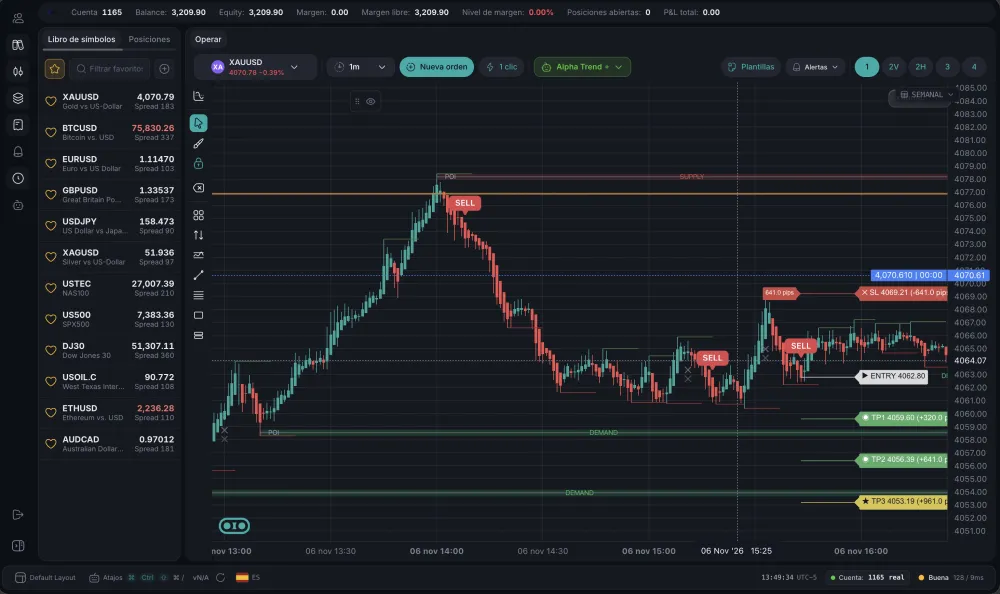
Write, compile and run automated strategies in Pipsend, in an isolated sandbox with the permissions each bot declares.
defineBot({
name: "Alpha Trend",
permissions: ["trade", "read-market"],
// the bot's lifecycle hooks
})
1
You write the bot in a Monaco editor, with types.
2
esbuild-wasm turns TypeScript into JavaScript inside the browser.
3
The bot runs in a Web Worker, separate from the rest of the app.
4
It receives ticks and candles and sends trading requests through a controlled bridge.
It only gets the permissions it asked for. Toggle them to see.
2/4
permissions granted
You only write the body: the platform wraps it in defineBot. Every hook is optional.
The full documentationHooks, the context API, types, permissions and complete examples, on one page with a contents list and copyable code.onInit(ctx) {
ctx.storage.set('symbol', 'EURUSD')
ctx.log.info('Bot started')
},
async onCandleClose(ctx, candle) {
const symbol = ctx.storage.get('symbol') as string
const candles = await ctx.market.getCandles(symbol, '15m', 60)
if (candles.length < 20) return
const sma = (n: number) => candles.slice(-n).reduce((a, c) => a + c.close, 0) / n
if (sma(10) > sma(20)) {
try {
await ctx.order.send({ symbol, type: 'market', side: 'buy', volume: 0.1, tag: 'demo:' + candle.time })
} catch (err) {
ctx.log.error('Order failed: ' + err)
}
}
},
onDispose(ctx) {
ctx.log.info('Bot stopped')
},
A skill with the Bot SDK rules, the context API and real examples. Your assistant reads it and generates bots the platform accepts on the first try.
mkdir -p ~/.claude/skills/pipsend-bots/references
curl -fsSL https://pipsend.com/skills/pipsend-bots/SKILL.md -o ~/.claude/skills/pipsend-bots/SKILL.md
curl -fsSL https://pipsend.com/skills/pipsend-bots/references/api.md -o ~/.claude/skills/pipsend-bots/references/api.md
It works as a skill in Claude Code. With other assistants, paste the contents of SKILL.md into the conversation or the project instructions.
ctx.marketPrices, ticks and candles.
ctx.orderSend and manage orders.
ctx.portfolioPositions and account state.
ctx.storageThe bot's own data.
ctx.logA log of what it does.
It is written and published from the platform. Source code is capped at 512 KB.
Their traders install the bot without access to the source.
Each bot lives in its own Web Worker with only the permissions it declared.
Margin, risk and rules apply just like on any other trade.
Book a demo and connect your operation with Pipsend, with nothing to build from scratch.