


Build the URL on your server
Create the src per user session; do not hardcode it in your page.
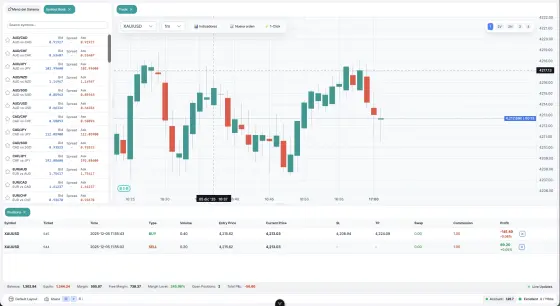
The Pipsend Web Trader inside your site, with the panels you choose.
<iframe
  src="https://web.pipsend.com/?embed=1&locale=en"
  width="960"
  height="640"
  style="border: 0"
  loading="lazy"
  title="Trading terminal"
></iframe>
Paste the code where you want the widget to appear. Only the parameters you change are included.
Create the src per user session; do not hardcode it in your page.
Always serve the iframe over HTTPS. Pipsend strips the credentials from the address bar on load.
It carries the password in the query string: avoid storing it in logs or history.
Your page to the terminal
pipsend:open-widgetOpens a widget (symbolBook, trade, orders, historical, priceAlerts) or brings it to the front.
pipsend:set-themeSwitches between light and dark, with optional colors.
pipsend:set-langChanges the language: en, es or pt.
The terminal to your page
pipsend:readyThe dock is mounted and accepts commands.
pipsend:widget-activatedA widget became the active tab.
pipsend:errorunknown-widget when the id does not exist.
pipsend:account-metricsThe account's live balance, equity and margin level.