

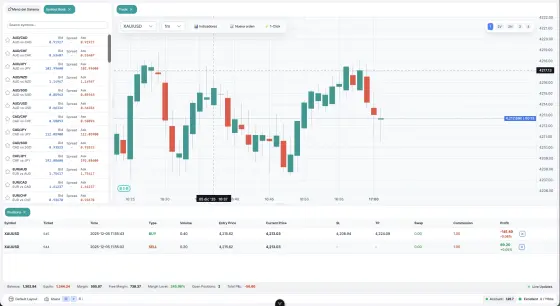
@pipsend/sdk is the official Pipsend SDK for Node.js and TypeScript. It is a typed client for the public /api/v1 REST surface and the realtime WebSocket stream.
Overview
Features
- Typed REST modules: Accounts, Trading Groups, Positions, Orders, Trades, Market Data and Sessions.
- Realtime stream over WebSocket with auto-reconnect, automatic resubscription and a heartbeat.
- Automatic authentication: JWT login and transparent token handling, with rate-limit backoff.
- Business identifiers: accounts by
number, trading groups bypath, symbols bycode. - Dual package (ESM and CommonJS) with complete type definitions.
Requirements
- Node.js 16 or later (
engines.nodeis>=16). - The SDK performs HTTP calls with the global
fetchfunction. For the realtime stream it uses the globalWebSocketwhen one exists and otherwise loads thewspackage, which is installed as a dependency of the SDK. - A Pipsend account number and its API password.
Version 1.x
The current release is 1.2.0. Version 1.x targets the /api/v1 contract: business identifiers only (no internal database ids), unwrapped { data, meta } envelopes, and a frame-based realtime protocol. It is not backward compatible with 0.x.
Installation
npm install @pipsend/sdk
# or: yarn add @pipsend/sdk · pnpm add @pipsend/sdk
The package is published on npm.
Quick start
import { createClient } from "@pipsend/sdk";

const client = createClient({
  server: "http://localhost:8080",
  number: 10001,
  password: "your-api-password",
});

// Accounts list (items + pagination meta)
const { items } = await client.accounts.list({ per_page: 20 });

// Open a market trade
const order = await client.trades.open({
  login: 10001,
  symbol: "EURUSD",
  action: "buy",
  type: "market",
  volume: 0.1,
  stop_loss: 1.085,
  take_profit: 1.095,
});

// Historical candles
const { data: candles } = await client.marketData.getCandles({
  symbol: "BTCUSD",
  timeframe: "1h",
  limit: 100,
});
createClient(config: PipsendConfig): PipsendClient is the main entry point. The PipsendClient class is also exported.
The client object
| Member | Description |
|---|---|
client.accounts |
Accounts API |
client.tradingGroups |
Trading groups API (read-only) |
client.marketData |
Market data API (historical) |
client.positions |
Positions API |
client.orders |
Orders API |
client.trades |
Trades API (open, close, modify) |
client.sessions |
Sessions API |
client.auth |
Authentication control |
client.stream |
Realtime WebSocket stream |
client.ping() |
Health check, returns Promise<HealthCheckResponse> |
client.getConfig() |
Returns a copy of the effective configuration (Readonly<PipsendConfig>) |
const health = await client.ping();
// HealthCheckResponse: { status: 'ok' | 'error'; timestamp: string; version?: string }
Response shapes
Responses are unwrapped from the server envelope, so you receive the payload directly. Two pagination shapes exist:
// Accounts & Trading Groups → ItemsPage<T>
const page = await client.accounts.list({ page: 1, per_page: 20 });
page.items; // T[]
page.meta; // { page, per_page, total, last_page }

// Positions, Orders & Sessions → PaginatedList<T>
const res = await client.positions.list({ login: "10001" });
res.data; // T[]
res.meta.pagination; // { page, per_page, total }
Market data lists return MarketDataPage<T> ({ data, meta? }, see Market data).
List endpoints accept page (default 1) and per_page (default 20, maximum 100). Query parameters that are undefined, null or an empty string are not sent, and array values are sent as repeated parameters.
Authentication
The SDK authenticates with the account number and its API password, and manages the token for you. You do not call a login method: create the client and make calls.
The public
/api/v1/auth/loginvalidates the account's API password, not the master or investor password. Make sure the account has anapi_passwordset.
How it works
- You create the client with
numberandpassword. - The first API call (or
client.stream.connect()) triggers a login:POST /api/v1/auth/login. - The SDK caches the access token in memory, together with the account block from the response (including the internal
idthat the WebSocket topics need). - Every request is sent with an
Authorization: Bearer <token>header. - When the token is expired, or within
refreshMarginMinutesof expiring (default 5), the SDK obtains a new one before sending the next request. - If a request returns
401, the SDK refreshes the token throughPOST /api/v1/auth/refreshonce and retries the request. If the refresh fails, it falls back to a full login.
Token expiry is read from access_expires_at (ISO 8601) in the login response.
Basic usage
import { createClient } from "@pipsend/sdk";

const client = createClient({
  server: "http://localhost:8080",
  number: 10001,
  password: "your-api-password",
  device: { application: "my-integration" }, // optional session metadata
});

// Authenticates automatically on the first call.
const { items } = await client.accounts.list();
Auth control
client.auth.isAuthenticated(); // boolean
client.auth.getToken(); // string | undefined
client.auth.getAccount(); // AuthAccount | undefined (number, id, email, balance, …)
await client.auth.refresh(); // force refresh / login

await client.auth.logout(); // close the current session server-side + clear token
await client.auth.logoutAll(); // close every session → { sessions_closed }
await client.auth.logoutOthers(); // close all but the current → { sessions_closed }
| Method | Returns | Description |
|---|---|---|
isAuthenticated() |
boolean |
true while a token is held and it is not expired (counting the refresh margin). |
getToken() |
string | undefined |
The current access token, or undefined when there is no valid token. |
getAccount() |
AuthAccount | undefined |
The account block of the last successful login. |
refresh() |
Promise<void> |
Forces a refresh. Falls back to a full login when there is no refresh token or the refresh fails. |
logout() |
Promise<void> |
Closes the current session on the server (POST /api/v1/auth/logout) and clears the local token. |
logoutAll() |
Promise<LogoutResult> |
Closes every session of the account, including the current one, and clears the local token. |
logoutOthers() |
Promise<LogoutResult> |
Closes all sessions except the current one. The local token is kept. |
logout() and logoutAll() are asynchronous. After either of them, the next API call logs in again.
Login response
The account block of the login response is available through client.auth.getAccount():
{
  "access_token": "eyJ...",
  "token": "eyJ...",                  // legacy alias of access_token
  "access_expires_at": "2026-06-08T12:00:00Z",
  "refresh_token": "eyJ...",
  "refresh_expires_at": "2026-06-14T12:00:00Z",
  "account": { "id": 5, "number": 10001, "email": "...", "account_type": "real",
               "balance": { "balance": 10000, "credit": 0, "currency": "USD" } },
  "session_id": 99,
  "roles": [],
  "permissions": []
}
The account.id is the only internal id surfaced. It is exposed because the per-account WebSocket subject is keyed by it server-side.
Login rate limiting and backoff
The login endpoint is rate-limited (per IP and per account, in 15-minute windows). When a login fails, the SDK records a cooldown so that later calls, for example a WebSocket reconnect loop, back off instead of hammering the endpoint. During the cooldown, calls throw the stored error without a network request.
| Failure | Cooldown |
|---|---|
429 rate_limited |
Retry-After seconds (or 60 s when the header is missing) |
401 / 403 (invalid_credentials) |
30 s |
Missing number or password (missing_credentials) |
30 s |
Network error (network_error) |
5 s |
| Any other status | 5 s |
Errors are AuthenticationError (a PipsendError) with .code and, on a 429, .retryAfter:
import { AuthenticationError } from "@pipsend/sdk";

try {
  await client.auth.refresh();
} catch (error) {
  if (error instanceof AuthenticationError) {
    if (error.code === "rate_limited") {
      console.warn(`rate limited; retry in ${error.retryAfter ?? 60}s`);
    } else if (error.code === "invalid_credentials") {
      console.error("check the account number / API password");
    }
  }
}
Custom refresh margin
createClient({
  server: "http://localhost:8080",
  number: 10001,
  password: "your-api-password",
  refreshMarginMinutes: 10, // refresh 10 minutes before expiry
});
Security notes
- Tokens are held in memory only (never persisted to disk or
localStorage). - Use
https://andwss://in production. - Keep credentials in environment variables, not in source code.
Configuration options
const client = createClient({
  server: "http://localhost:8080", // required
  number: 10001, // account number
  password: "your-api-password",
  device: { application: "my-integration" }, // optional session metadata
  timezone: "UTC", // optional
  autoRefresh: true, // optional (default true)
  refreshMarginMinutes: 5, // refresh this many minutes before expiry
  websocket: {
    enabled: true,
    autoConnect: false,
    autoReconnect: true,
    maxReconnectAttempts: 5,
    reconnectBaseDelayMs: 1000,
    reconnectMaxDelayMs: 30000,
    heartbeatIntervalMs: 15000,
  },
});
PipsendConfig
| Option | Type | Default | Description |
|---|---|---|---|
server |
string |
required | Pipsend server URL. Must be a valid URL. |
number |
number |
none | Account commercial number used to log in. |
password |
string |
none | The account's API password. |
device |
DeviceInfo |
none | Optional device metadata attached to the session on login. |
timezone |
string |
"UTC" |
Timezone for operations. |
autoRefresh |
boolean |
true |
Enable automatic token refresh. |
refreshMarginMinutes |
number |
5 |
Refresh margin, in minutes before token expiry. |
websocket |
WebSocketConfig |
none | Realtime stream configuration. The stream is disabled unless websocket.enabled is true. |
number and password are typed as optional, but without them the first authenticated call throws an AuthenticationError with code missing_credentials.
DeviceInfo
All fields are optional: ip, mac, hostname, device_id, device_type, os, browser, user_agent, application.
WebSocketConfig
| Option | Type | Default | Description |
|---|---|---|---|
enabled |
boolean |
false |
Enable the WebSocket manager. |
autoConnect |
boolean |
false |
Connect automatically when the client is created. |
path |
string |
/api/v1/ws |
Endpoint path. |
autoReconnect |
boolean |
true |
Reconnect after an unexpected disconnect. |
maxReconnectAttempts |
number |
5 |
Maximum reconnection attempts. |
reconnectBaseDelayMs |
number |
1000 |
Base backoff delay in milliseconds. |
reconnectMaxDelayMs |
number |
30000 |
Maximum backoff delay in milliseconds. |
heartbeatIntervalMs |
number |
15000 |
Application-level ping interval in milliseconds. 0 disables the heartbeat and the liveness watchdog. |
Accounts
Accounts are addressed by their commercial number (the login).
await client.accounts.list({ search: "john", per_page: 20 }); // ItemsPage<Account>
await client.accounts.get(10001); // Account
await client.accounts.getStatus(10001); // { login, balance, equity, credit, margin, currency }
await client.accounts.getRights(10001); // bitmask + unpacked booleans
await client.accounts.getPermissions(10001); // { account_id, roles, permissions }

await client.accounts.create({
  trading_group: "demo/standard", // path (exact match)
  country: "CO", // ISO 3166 alpha-2
  first_name: "John",
  last_name: "Doe",
  email: "john@example.com",
  master_password: "secret123",
  investor_password: "viewer123", // optional
  api_password: "apikey123", // optional
  leverage: "1:100", // "1:100" or 100
});

await client.accounts.update(10001, { name: "Renamed", phone: "3160000000" });
await client.accounts.setPassword(10001, { kind: "api", password: "newsecret1" });
await client.accounts.updateRights(10001, {
  rights: ["RIGHT_ENABLED", "RIGHT_LOGIN_ENABLED", "RIGHT_TRADE_ENABLED"],
});
await client.accounts.adjust(10001, { type: "balance", amount: 150, comment: "deposit" });
await client.accounts.archive(10001, { reason: "inactive" });
await client.accounts.unarchive(10001);
await client.accounts.delete(10001); // soft-delete
Methods
| Method | Returns | Description |
|---|---|---|
list(params?: AccountsListParams) |
Promise<ItemsPage<Account>> |
List accounts with filters and pagination. |
get(accountNumber: number) |
Promise<Account> |
Get one account by number. |
create(request: CreateAccountRequest) |
Promise<Account> |
Create an account. |
update(accountNumber: number, request: UpdateAccountRequest) |
Promise<Account> |
Partial update; only the keys you send change. |
delete(accountNumber: number) |
Promise<void> |
Soft-delete (archive) the account. |
getStatus(accountNumber: number) |
Promise<AccountStatus> |
Live financial snapshot. |
getRights(accountNumber: number) |
Promise<AccountRights> |
Rights bundle: bitmask plus unpacked booleans. |
updateRights(accountNumber: number, request: UpdateRightsRequest) |
Promise<UpdateRightsResponse> |
Replace the whole rights set from RIGHT_* names. |
getPermissions(accountNumber: number) |
Promise<AccountPermissions> |
Roles and permissions of the account. |
setPassword(accountNumber: number, request: SetPasswordRequest) |
Promise<void> |
Set the master, investor or API password. |
adjust(accountNumber: number, request: AdjustBalanceRequest) |
Promise<Account> |
Adjust balance or credit with a signed amount. |
archive(accountNumber: number, request?: ArchiveAccountRequest) |
Promise<void> |
Archive the account. |
unarchive(accountNumber: number) |
Promise<void> |
Unarchive the account. |
list parameters (AccountsListParams)
| Field | Type | Description |
|---|---|---|
page, per_page |
number |
Pagination. |
number |
number |
Filter by commercial number. |
email |
string |
Filter by email. |
trading_group_id, provider_id, country_id, ib_account_id |
number |
Filter by the corresponding id. |
archived |
boolean |
Only archived (true) or non-archived (false). |
closed |
boolean |
Only closed (true) or open (false). |
search |
string |
Free-text search. |
sort |
string |
Sort field (default: created_at). |
order |
"asc" | "desc" |
Sort order (default: desc). |
create parameters (CreateAccountRequest)
| Field | Type | Required | Description |
|---|---|---|---|
trading_group |
string |
Yes | Trading group path, exact match. |
first_name, last_name |
string |
Yes | Holder name. |
country |
string |
Yes | ISO 3166 alpha-2 code. |
master_password |
string |
Yes | Minimum 8 characters. |
investor_password, api_password |
string |
No | Minimum 8 characters. |
currency |
string |
No | Defaults to the trading group currency. |
leverage |
string | number |
No | "1:100" or 100; defaults to the group default. A number is converted to a string by the SDK. |
number |
number |
No | Auto-assigned when omitted. |
name |
string |
No | Account label. |
email, phone, middle_name, company, state, city, address, zip_code, comment |
string |
No | Profile fields. |
UpdateAccountRequest accepts the same profile fields (and trading_group, currency, leverage, name, first_name, last_name, country), all optional.
Passwords
setPassword takes { kind: "master" | "investor" | "api"; password: string } (PasswordKind).
await client.accounts.setPassword(10001, { kind: "api", password: "newsecret1" });
Balance and credit adjustments
AdjustBalanceRequest:
| Field | Type | Description |
|---|---|---|
type |
"balance" | "credit" |
What to adjust. |
amount |
number |
Signed: positive credits, negative debits. |
comment |
string |
Optional. |
idempotency_key |
string |
Optional. Generated server-side when omitted. |
Account rights
getRights returns an AccountRights object: rights (the bitmask as a number) and the booleans enabled, login_enabled, trade_enabled, ea_enabled, read_only, api_access_enabled, balance_read_only, deposit_enabled, withdraw_enabled, push_enabled, force_pwd_reset.
updateRights takes { rights: AccountPermission[] | string[] } (at least one entry) and returns { number: number; rights: string[] }.
| Permission | Value | Description |
|---|---|---|
RIGHT_ENABLED |
1 | Account is active |
RIGHT_LOGIN_ENABLED |
2 | Can log in |
RIGHT_TRADE_ENABLED |
4 | Can trade |
RIGHT_EA_ENABLED |
8 | Can use Expert Advisors/bots |
RIGHT_READONLY |
16 | Read-only mode |
RIGHT_API_ACCESS_ENABLED |
32 | Can use the API |
RIGHT_BALANCE_READONLY |
64 | Balance is read-only |
RIGHT_DEPOSIT_ENABLED |
128 | Can deposit |
RIGHT_WITHDRAW_ENABLED |
256 | Can withdraw |
RIGHT_PUSH_NOTIFICATIONS_ENABLED |
512 | Can receive push notifications |
RIGHT_FORCE_PASSWORD_RESET |
1024 | Must reset the password on next login |
updateRights()replaces all existing permissions; it does not add to them. Always include at leastRIGHT_ENABLEDandRIGHT_LOGIN_ENABLEDfor a functional account.
// Read-only mode
await client.accounts.updateRights(10001, {
  rights: ["RIGHT_ENABLED", "RIGHT_LOGIN_ENABLED", "RIGHT_READONLY", "RIGHT_BALANCE_READONLY"],
});
Account permissions (roles)
getPermissions returns { account_id: number; roles: string[]; permissions: { action: string; object: string }[] }.
Account fields
number, name, currency, leverage, rights, trading_group ({ name, path }), country ({ iso, name } | null), first_name, last_name, middle_name, company, email, phone, state, city, address, zip_code, comment, balance, credit, closed_at, archived_at, archive_reason, created_at, updated_at.
Trading groups
Trading groups are read-only and addressed by name or hierarchical path.
await client.tradingGroups.list({ per_page: 100 }); // ItemsPage<TradingGroup>
await client.tradingGroups.getByName("standard"); // TradingGroup
await client.tradingGroups.getByPath("demo/standard"); // TradingGroup
await client.tradingGroups.tree(); // TradingGroupTreeNode[] (forest)
| Method | Returns | Description |
|---|---|---|
list(params?: TradingGroupsListParams) |
Promise<ItemsPage<TradingGroup>> |
Paginated list. Params: page, per_page, search. |
getByName(name: string) |
Promise<TradingGroup> |
Lookup by name. |
getByPath(path: string) |
Promise<TradingGroup> |
Lookup by hierarchical path (exact match). |
tree() |
Promise<TradingGroupTreeNode[]> |
Forest view. Each node is { group: TradingGroup; children?: TradingGroupTreeNode[] }. |
TradingGroup includes name, path, company, type, is_demo, enable_ea, enable_swaps, inactivity_period, enable_trailing_stop, is_hedging, margin_call, stop_out, stop_out_fully_account, stop_is_percentage, allow_negative_balance, allow_credit_negative, compensate_negative_balance, withdraw_credit_after_negative, sort_order, commission_type, commission_period, commission_value, default_currency, default_leverage, created_at and updated_at. Decimal fields (margin_call, stop_out, commission_value) are strings.
Positions
Positions are addressed by their id. Accounts in filters are referenced by login (a comma-separated list of account numbers).
await client.positions.list({ login: "10001", state: "open" }); // PaginatedList<Position>
await client.positions.history({ login: "10001", from_date: "2026-01-01", to_date: "2026-06-30" });
await client.positions.get(888); // Position

await client.positions.setSLTP(888, { stop_loss: 1.085, take_profit: 1.13 }); // null clears
await client.positions.setTrailingStop(888, { enabled: true, distance: 20, distance_type: "pips" });
await client.positions.close(888, { qty: 0.5 }); // omit qty for full close
await client.positions.closeAll({ login: "10001", pnl: "negative" });
from_date and to_date are YYYY-MM-DD.
Methods
| Method | Returns | Description |
|---|---|---|
list(params?: PositionsListParams) |
Promise<PaginatedList<Position>> |
List positions with filters and pagination. |
history(params?: PositionsHistoryParams) |
Promise<PaginatedList<Position>> |
Closed positions. |
get(id: number) |
Promise<Position> |
One position. |
setSLTP(id: number, request: SetSLTPRequest) |
Promise<Position> |
Modify stop-loss and take-profit. null clears a level. |
setTrailingStop(id: number, request: TrailingStopRequest) |
Promise<Position> |
Enable or disable the trailing stop. |
close(id: number, request?: ClosePositionRequest) |
Promise<ClosePositionResult> |
Close a position with a reduce-only market counter-order. |
closeAll(params?: CloseAllParams) |
Promise<CloseAllResult> |
Close every position the token can see, optionally scoped or filtered by PnL. |
Parameters
PositionsListParams:
| Field | Type | Description |
|---|---|---|
page, per_page |
number |
Pagination. |
login |
string |
Comma-separated account numbers, e.g. "10001,10002". |
symbol |
string |
Symbol code. |
side |
0 | 1 |
0 BUY, 1 SELL. |
mode |
number |
Position mode. |
open_only |
boolean |
Only open positions. |
state |
"open" | "closed" |
Position state. |
sort |
string |
Sort field. |
order |
"asc" | "desc" |
Sort order. |
PositionsHistoryParams: page, per_page, login, symbol, from_date, to_date (YYYY-MM-DD), sort_by, sort_order ("asc" | "desc").
SetSLTPRequest: { stop_loss?: number | null; take_profit?: number | null }.
TrailingStopRequest: { enabled: boolean; distance?: number; distance_type?: "pips" | "price" }. distance is required when enabled is true.
ClosePositionRequest: { qty?: number }. The position is fully closed when qty is omitted.
CloseAllParams: { login?: string; pnl?: "positive" | "negative" | "all" }. When login is omitted, the scope is every position the token can see.
Results
ClosePositionResult: { order_id: number; client_order_id: string; position_id: number; qty: string; status: string }.
CloseAllResult:
{
  closed: Array<{ position_id: number; order_id: number; status: string; pnl: string }>;
  failed: Array<{ position_id: number; error: string }>;
  total: number;
  total_failed: number;
  total_skipped: number;
  pnl_filter: string;
}
The close is asynchronous: the result confirms that the counter-order was accepted. Track the fill through the order (order_id), through the position's qty, or through the realtime stream.
Position fields
id, symbol_code, opening_order_id, mode, mode_name, side (0 BUY, 1 SELL), side_name, qty, initial_qty, avg_price, realized_pnl, unrealized_pnl, used_margin, cum_commission, cum_swap, stop_loss, take_profit, ts_enabled, ts_distance, ts_price, best_price, version, closed_at, exit_avg, close_reason, close_comment, opened_at, updated_at, contract_size, tick_size, digits, mark_price, change, change_pct and account ({ number, currency, type, first_name, last_name, email }).
Orders
Enums are numeric, with *_name labels alongside:
side:0BUY,1SELLtype:0MARKET,1LIMIT,2STOP,3STOP_LIMITtif:0GTC,1IOC,2FOKstatus:2ACCEPTED,3PARTIAL,4FILLED,5CANCELLED,6REJECTED
await client.orders.list({ login: "10001", status: ["ACCEPTED", "PARTIAL"] }); // PaginatedList<Order>
await client.orders.history({ login: "10001", from_date: "2026-01-01" });
await client.orders.get(4242); // Order
await client.orders.modify(4242, { limit_price: "1.1060", stop_loss: "1.0950" });
await client.orders.cancel(4242, { reason: "manual" });
Methods
| Method | Returns | Description |
|---|---|---|
list(params?: OrdersListParams) |
Promise<PaginatedList<Order>> |
List orders with filters and pagination. |
history(params?: OrdersHistoryParams) |
Promise<PaginatedList<Order>> |
Terminal orders. |
get(id: number) |
Promise<Order> |
One order by id. |
modify(id: number, request: ModifyOrderRequest) |
Promise<Order> |
Modify a working order. |
cancel(id: number, request?: CancelOrderRequest) |
Promise<Order> |
Cancel a working order. |
Parameters
OrdersListParams:
| Field | Type | Description |
|---|---|---|
page, per_page |
number |
Pagination. |
login |
string |
Comma-separated account numbers. |
symbol |
string |
Symbol code. |
side |
0 | 1 |
Order side. |
type |
string | string[] |
Repeatable: "LIMIT", "STOP", … |
status |
string | string[] |
Repeatable: "ACCEPTED", "PARTIAL", "FILLED", "CANCELLED", "REJECTED". |
reduce_only |
boolean |
Filter reduce-only orders. |
OrdersHistoryParams: page, per_page, login, symbol, side, type, status, from_date, to_date (YYYY-MM-DD), sort_by, sort_order ("asc" | "desc").
ModifyOrderRequest: { limit_price?: string; stop_loss?: string; take_profit?: string }. Prices are strings.
CancelOrderRequest: { reason?: string; cancelled_by?: string }.
Modifying or cancelling an order that is already FILLED or CANCELLED fails with the order_terminal error (HTTP 409).
Order fields
id, client_order_id, symbol_code, side, type, tif, status, side_name, type_name, tif_name, status_name, qty, limit_price, stop_price, trigger_price, stop_loss, take_profit, filled_qty, required_margin, margin_currency, hold_id, lp_order_id, router, rejected_code, reduce_only, position_id, comment, version, created_at, updated_at. Quantities and prices are strings.
Trades
The Trades API opens, closes and modifies trades through a compact, symbol-and-login based surface.
await client.trades.open({
  login: 10001,
  symbol: "EURUSD",
  action: "buy", // buy | sell
  type: "market", // market | limit | stop | stop_limit
  volume: 0.1,
  stop_loss: 1.075,
  take_profit: 1.095,
});
await client.trades.close({ login: 10001, position_id: 888, volume: 0.05 });
await client.trades.modify({ login: 10001, position_id: 888, stop_loss: 1.08 });
Methods
| Method | Returns | Description |
|---|---|---|
open(request: OpenTradeRequest) |
Promise<OpenTradeResponse> |
Open a market order or create a pending order. |
close(request: CloseTradeRequest) |
Promise<CloseTradeResponse> |
Close a position, fully or partially, by position_id. |
modify(request: ModifyTradeRequest) |
Promise<ModifyTradeResponse> |
Modify the stop-loss and take-profit of a position. |
Open a trade
OpenTradeRequest:
| Field | Type | Required | Description |
|---|---|---|---|
login |
number |
Yes | Account number. |
symbol |
string |
Yes | Symbol code. |
action |
"buy" | "sell" |
Yes | Trade direction. |
type |
"market" | "limit" | "stop" | "stop_limit" |
Yes | Order type. |
volume |
number |
Yes | Volume in lots. |
price |
number |
For limit / stop |
Order price. |
stop_price |
number |
For stop_limit |
Trigger price. |
stop_loss |
number | null |
No | Stop-loss level. |
take_profit |
number | null |
No | Take-profit level. |
client_order_id |
string |
No | Auto-generated when omitted. |
comment |
string |
No | Free text. |
OpenTradeResponse: { order_id: number; client_order_id: string; account_number: number; symbol: string; side: string; type: string; qty: string; status: string }.
// Pending buy limit order
await client.trades.open({
  login: 10001,
  symbol: "EURUSD",
  action: "buy",
  type: "limit",
  volume: 0.1,
  price: 1.08,
});
Close a trade
CloseTradeRequest: { login: number; position_id: number; volume?: number; comment?: string }. The position is fully closed when volume is omitted.
CloseTradeResponse: { order_id: number; position_id: number; qty: string; status: string }.
Modify a trade
ModifyTradeRequest: { login: number; position_id: number; stop_loss?: number | null; take_profit?: number | null }. At least one of stop_loss or take_profit is required; null clears the level.
ModifyTradeResponse: { position_id: number; status: string }.
Trade endpoints are subject to the Trade rate-limit tier (see Rate limits).
Market data
Market data is served by the MarketData service through the /api/v1/md/* proxy. It is historical only: data must be at least about one hour old, so there is no real-time data in this module. For live prices, use the tick and ohlc topics.
await client.marketData.getCandles({ symbol: "BTCUSD", timeframe: "1h", limit: 100 }); // MarketDataPage<Candle>
await client.marketData.getSymbols({ group: "CRYPTO_MAJOR", has_data: true }); // MarketDataPage<Symbol>
await client.marketData.getGroups({ root_only: true }); // Group[] (never paginated)
Timeframes: 1m, 5m, 15m, 1h, 4h, 1d.
| Method | Returns | Description |
|---|---|---|
getCandles(params: CandlesParams) |
Promise<MarketDataPage<Candle>> |
Historical OHLCV candles. |
getSymbols(params?: SymbolsParams) |
Promise<MarketDataPage<Symbol>> |
Available symbols with metadata. |
getGroups(params?: GroupsParams) |
Promise<Group[]> |
Symbol groups (never paginated). |
MarketDataPage<T> is { data: T[]; meta?: MarketDataMeta }, where MarketDataMeta is { total, page, per_page, total_pages, has_next, has_prev }.
Candles
CandlesParams:
| Field | Type | Required | Description |
|---|---|---|---|
symbol |
string |
Yes | Symbol codes, comma-separated. |
timeframe |
string |
Yes | Timeframes (1m,5m,15m,1h,4h,1d), comma-separated. |
from, to |
string |
No | Time range. |
min_volume, max_volume |
number |
No | Volume range. |
min_price, max_price |
number |
No | Price range. |
sort |
string |
No | Sort field. |
order |
"asc" | "desc" |
No | Sort order. |
limit |
number |
No | Maximum 10000; ignores pagination. |
page, per_page |
number |
No | Pagination. |
Candle: { symbol, timeframe, timestamp, open, high, low, close, volume }.
Symbols
SymbolsParams: name, group, type, search, is_active, has_data, include_data_range, sort, order, page, per_page.
Symbol: name, display_name, description, group_path, type, is_active, has_data, and the optional timeframes, first_candle, last_candle.
The candle-derived metadata (timeframes, first_candle, last_candle) is only present when you request it with include_data_range: true:
await client.marketData.getSymbols({ group: "CRYPTO_MAJOR", include_data_range: true });
Groups
GroupsParams: code, path, search, is_active, level, root_only, sort, order.
Group: { code, name, path, level, is_active, order, symbol_count }.
Sessions
await client.sessions.list(); // PaginatedList<Session>
await client.sessions.history();
await client.sessions.terminate(99);
| Method | Returns | Description |
|---|---|---|
list(params?: SessionsListParams) |
Promise<PaginatedList<Session>> |
Active sessions for the token. |
history(params?: SessionsListParams) |
Promise<PaginatedList<Session>> |
Session history. |
terminate(id: number) |
Promise<void> |
Terminate one session. |
SessionsListParams is the pagination pair page and per_page.
Session fields: id, jti, token_type, logged_with, status, the optional device fields (ip, mac, hostname, device_id, device_type, os, browser, user_agent, application), created_at, last_seen_at, last_ip, expires_at, terminated_at and termination_reason.
To close sessions in bulk, use client.auth.logoutAll() or client.auth.logoutOthers() (see Auth control).
WebSocket
The realtime stream uses a frame-based protocol at /api/v1/ws. Topics are keyed by the account number (login) and the symbol code. Build them with the topics helper.
Nothing streams until you subscribe: there is no auto-subscribe after connecting.
import { createClient, topics } from "@pipsend/sdk";

const client = createClient({
  server: "http://localhost:8080",
  number: 10001,
  password: "your-api-password",
  websocket: { enabled: true, autoConnect: false },
});

await client.stream.connect();

// Subscribe to specific topics or wildcards
client.stream.subscribe([
  topics.position(10001),
  topics.accountMetrics(10001),
  topics.tick("BTCUSD"),
]);
// Firehose: client.stream.subscribe([topics.position("*"), topics.order("*")]);

// Listen to a topic pattern ("position:*" matches every account's positions)
client.stream.onTopic("position:*", ({ topic, data }) => {
  if (data.event_type === "position.opened") {
    console.log("opened", data.login, data.symbol_code, data.qty);
  }
});

// Or every push frame
client.stream.onPush(({ topic, data }) => console.log(topic, data));

client.stream.onConnected(() => console.log("connected"));
client.stream.onDisconnected(() => console.log("disconnected"));
client.stream.onError((e) => console.error(e));

client.stream.unsubscribe([topics.tick("BTCUSD")]);
client.stream.disconnect();
The stream is only available when websocket.enabled is true. Otherwise, calling a method that needs it throws a WebSocketError ("WebSocket not enabled. Set websocket.enabled: true in config").
Connecting
The connection URL is built from server (http becomes ws, https becomes wss) plus the path option (default /api/v1/ws). The access token is passed as the access_token query parameter. connect() obtains a valid token first; reconnections reuse the cached token, so there is no re-login storm.
| Method | Returns | Description |
|---|---|---|
connect() |
Promise<void> |
Connect. Resolves when the socket is open; does nothing if already connected. Rejects with WebSocketError if the connection fails, or with AuthenticationError if login fails. |
disconnect() |
void |
Close the connection. Also clears all subscriptions and all registered listeners. |
isConnected() |
boolean |
Whether the socket is currently connected. |
getSubscriptions() |
string[] |
Topics currently subscribed. |
Set websocket.autoConnect: true to connect when the client is created. A failure in that background connection is logged with console.error.
Topic helpers
import { topics } from "@pipsend/sdk";
| Helper | Topic string | Keyed by |
|---|---|---|
topics.position(login) |
position:<login> |
login |
topics.positionsPnl(login) |
positions:pnl:<login> |
login |
topics.accountMetrics(login) |
account:metrics:<login> |
login |
topics.order(login) |
order:<login> |
login |
topics.orderRejected(login) |
order:rejected:<login> |
login |
topics.trade(login) |
trade:<login> |
login |
topics.alert(login) |
alert:<login> |
login |
topics.tick(symbol) |
tick:<symbol> |
symbol code |
topics.ohlc(symbol, timeframe) |
ohlc:<symbol>:<timeframe> |
symbol code |
topics.ohlcFinal(symbol, timeframe) |
ohlc-final:<symbol>:<timeframe> |
symbol code |
Pass "*" as the login to build an account-scoped wildcard (the "firehose") topic. Wildcard subscriptions require the tracking permission on the token; without it, a token can only subscribe to its own account's topics plus the public market topics (tick:*, ohlc:*).
Subscribing
| Method | Returns | Description |
|---|---|---|
subscribe(topics: string[], id?: string) |
void |
Subscribe to topics. id is an optional correlation token echoed back on the ack event. |
unsubscribe(topics: string[]) |
void |
Unsubscribe from topics. |
ping(id?: string) |
void |
Send an application-level ping; the server replies with a pong. |
You can call subscribe before the socket is connected: the topics are remembered and sent as soon as the connection opens. An ack only means the frame was processed, not that every topic was authorized: topics you are not permitted to see are skipped silently.
Topics
| Topic | Payload data |
|---|---|
position:<login> |
Position lifecycle. event_type is position.opened, position.updated or position.closed. SL/TP edits arrive as position.updated. |
positions:pnl:<login> |
Live account PnL snapshot (PnlSnapshot). |
account:metrics:<login> |
Account metrics (AccountMetricsEvent). |
order:<login> |
Order events. event_type is order.accepted, order.filled, order.partial, order.modified, order.cancelled or order.rejected. |
order:rejected:<login> |
Rejected orders on a dedicated channel (order.rejected). |
trade:<login> |
Fills only (order.filled and order.partial). |
alert:<login> |
Alert events. |
tick:<symbol> |
{ bid, ask, mid, ts } (snapshot on subscribe, then live). |
ohlc:<symbol>:<tf> |
Partial (forming) candle { ts, o, h, l, c, v, ver }. |
ohlc-final:<symbol>:<tf> |
Closed candle. |
<tf> is a timeframe such as 1m, 5m, 15m, 1h, 4h or 1d. Every account-scoped push carries login and symbol_code.
Listening to events
| Method | Description |
|---|---|
onTopic(pattern: string, callback: StreamCallback<PushFrame>) |
Listen to pushes whose topic matches pattern. A trailing * matches by prefix (e.g. position:*, tick:*); otherwise the match is exact. The callback receives { topic, data }. |
onPush(callback: StreamCallback<PushFrame>) |
Listen to every push frame { topic, data }. |
onConnected(callback) |
The connection is open. |
onDisconnected(callback) |
The connection closed. |
onReconnecting(callback) |
A reconnection attempt is scheduled. |
onError(callback) |
A socket or heartbeat error occurred. |
onPong(callback) |
Fires on every pong from the server. Useful as a liveness signal or a "last seen" timestamp. |
on(event: StreamEvent, callback) |
Register a listener for any event: 'connected', 'disconnected', 'reconnecting', 'error', 'ack', 'pong' or 'push'. |
off(event: StreamEvent, callback?) |
Remove one listener, or every listener of the event when callback is omitted. |
Event payloads:
| Event | Payload |
|---|---|
connected |
{ timestamp } |
disconnected |
{ code, reason, timestamp } |
reconnecting |
{ attempt, delay } (delay in milliseconds) |
ack |
{ id } |
pong |
{ id } |
push |
{ topic, data } |
error |
The underlying socket error, or a WebSocketError ("Heartbeat timeout: no response from server") |
When the server groups several events in a batch frame, the SDK unpacks it and calls your listeners once per event. A listener that throws does not interrupt delivery to the others, and malformed frames are ignored.
Event types
type PositionEventType = 'position.opened' | 'position.updated' | 'position.closed';

interface PositionEvent {
  event_type: PositionEventType;
  id: number;
  login: number;
  symbol_code: string;
  side: 0 | 1;
  side_name: string;
  qty: number;
  avg_price: number;
  unrealized_pnl: number;
  [key: string]: any;
}

type OrderEventType =
  | 'order.accepted'
  | 'order.filled'
  | 'order.partial'
  | 'order.modified'
  | 'order.cancelled'
  | 'order.rejected';

interface OrderEvent {
  event_type: OrderEventType;
  login: number;
  symbol_code: string;
  [key: string]: any;
}

interface PnlSnapshot {
  login: number;
  currency: string;
  equity: number;
  used_margin: number;
  free_margin: number;
  margin_level: number;
  unrealized_pnl: number;
  open_count: number;
  positions: any[];
  ts: number;
}

interface AccountMetricsEvent {
  type: 'account_metrics';
  login: number;
  balance: number;
  equity: number;
  margin: number;
  free_margin: number;
  margin_level: number;
  total_pnl: number;
  currency: string;
  timestamp: number | string;
}

interface TickEvent {
  bid: number;
  ask: number;
  mid: number;
  ts: number;
}

interface OhlcEvent {
  ts: number;
  o: number;
  h: number;
  l: number;
  c: number;
  v: number;
  ver: number;
}
Reconnection and heartbeat
When the connection drops unexpectedly and autoReconnect is true (the default), the SDK reconnects with exponential backoff:
- The delay before attempt n (starting at 0) is
min(reconnectBaseDelayMs × 2^n, reconnectMaxDelayMs). With the defaults this is 1 s, 2 s, 4 s, 8 s and 16 s. - A
reconnectingevent with{ attempt, delay }is emitted before each attempt. - On success the SDK emits
connectedagain and resubscribes automatically to every topic you had subscribed. - After
maxReconnectAttemptsfailed attempts (default 5), the SDK stops retrying.
The heartbeat sends an application-level ping every heartbeatIntervalMs (default 15000). It also acts as a liveness watchdog: if no pong or data arrives within one interval after a ping, the socket is treated as dead (a silent half-open connection), an error event is emitted, and the connection is terminated so the normal disconnected and reconnect path runs.
client.stream.onDisconnected(() => console.log("disconnected, will auto-reconnect"));
client.stream.onReconnecting(({ attempt, delay }) => console.log(`retry #${attempt} in ${delay}ms`));
client.stream.onConnected(() => console.log("connected; subscriptions restored"));
Because disconnect() removes all listeners and subscriptions, register your listeners again (and subscribe again) after calling it deliberately.
Error handling
Every error is a PipsendError with code and statusCode. Auth failures are AuthenticationError and carry retryAfter (seconds) on a 429.
import { PipsendError, AuthenticationError } from "@pipsend/sdk";

try {
  await client.orders.cancel(4242);
} catch (error) {
  if (error instanceof PipsendError) {
    console.error(error.code, error.statusCode, error.message);
    // e.g. "order_terminal" 409 - order already FILLED/CANCELLED
  }
}

try {
  await client.auth.refresh();
} catch (error) {
  if (error instanceof AuthenticationError && error.code === "rate_limited") {
    console.warn(`rate limited; retry in ${error.retryAfter ?? 60}s`);
  }
}
Error classes
| Class | Extends | code |
When it is thrown |
|---|---|---|---|
PipsendError |
Error |
Server error code, http_error or network_error |
Any non-2xx API response (code and message come from the { error: { code, message } } body; statusCode is the HTTP status), and network failures during a request (network_error, no statusCode). |
AuthenticationError |
PipsendError |
rate_limited, invalid_credentials, missing_credentials, network_error, or the code returned by the server |
Login failures. Also thrown when a call is made during a login cooldown. Default statusCode is 401; retryAfter is set on 429. |
ConfigurationError |
PipsendError |
CONFIG_ERROR |
Thrown by createClient when server is missing or is not a valid URL. |
WebSocketError |
PipsendError |
WEBSOCKET_ERROR |
The stream is used without websocket.enabled: true, the connection cannot be created or fails, the server URL is invalid for WebSocket use, or the ws package is not available in Node.js. Also delivered to error listeners on a heartbeat timeout. |
PipsendError properties and methods:
| Member | Description |
|---|---|
message |
Human-readable message. |
code?: string |
Error code. |
statusCode?: number |
HTTP status code. |
errors?: ValidationError[] |
Optional field-level details ({ field, message }). |
response?: any |
Optional raw response. |
getDetailedMessage(): string |
The message followed by one line per validation error. |
isValidationError(): boolean |
true when statusCode is 422 or code is VALIDATION_ERROR (uppercase). |
The server reports field validation failures with the lowercase code validation_error (HTTP 400), so check error.code === "validation_error" yourself for those.
Server error codes
All API errors share the { "error": { "code": "...", "message": "..." } } shape (the 401 and 403 responses carry no body, so their code is http_error).
| HTTP | Code | Meaning |
|---|---|---|
| 400 | bad_request |
Malformed JSON or parameters |
| 400 | validation_error |
Named field(s) failed validation (see message) |
| 400 | invalid_account_number |
The account number is not a positive integer |
| 400 | invalid_leverage |
Leverage is not a positive value |
| 400 | invalid_right |
Unknown RIGHT_* name |
| 401 | none | Missing or invalid token |
| 403 | none | Token type mismatch or access denied |
| 404 | account_not_found / position_not_found |
Unknown resource |
| 409 | order_terminal |
Cancel or modify on a FILLED or CANCELLED order |
| 422 | invalid_trading_group |
Trading group path does not resolve |
| 422 | invalid_country |
Unknown ISO country code |
| 429 | rate_limited |
Rate-limit bucket exhausted (see Retry-After) |
| 501 | not_implemented |
Endpoint not implemented |
| 5xx | upstream_unavailable |
A downstream service (for example MarketData) is unavailable |
Market data calls go through a proxy that can answer with { status, status_code, message }. In that case error.code holds the status_code value.
Automatic handling
- A
401triggers one token refresh and one retry of the request (see How it works). - Failed logins set a cooldown (see Login rate limiting and backoff).
- The SDK does not retry other failed requests, including
429responses on API calls. Wait forRetry-Afterseconds before retrying.
TypeScript types
The SDK ships with complete type definitions. Everything below is exported from the package root:
import type {
  Account,
  Position,
  Order,
  TradingGroup,
  Candle,
  Symbol,
  Session,
  ItemsPage,
  PaginatedList,
  PositionEvent,
  OrderEvent,
  TickEvent,
} from "@pipsend/sdk";
| Area | Exported types |
|---|---|
| Config and auth | PipsendConfig, DeviceInfo, TokenInfo, AuthAccount, AuthResponse, LogoutResult, HealthCheckResponse |
| Common | PaginationParams, ApiError, Envelope, PageMeta, ItemsPage, Pagination, ListMeta, PaginatedList |
| Accounts | Account, AccountTradingGroupRef, AccountCountryRef, AccountsListParams, AccountStatus, AccountRights, PermissionEntry, AccountPermissions, AccountPermission, CreateAccountRequest, UpdateAccountRequest, PasswordKind, SetPasswordRequest, UpdateRightsRequest, UpdateRightsResponse, AdjustBalanceRequest, ArchiveAccountRequest |
| Trading groups | TradingGroup, TradingGroupTreeNode, TradingGroupsListParams |
| Market data | Candle, CandlesParams, Symbol, SymbolsParams, Group, GroupsParams, MarketDataMeta, MarketDataPage |
| Positions | Position, PositionAccountRef, PositionsListParams, PositionsHistoryParams, SetSLTPRequest, TrailingStopRequest, ClosePositionRequest, ClosePositionResult, CloseAllParams, CloseAllResult |
| Orders | Order, OrderSide, OrderType, OrderTif, OrderStatus, OrdersListParams, OrdersHistoryParams, ModifyOrderRequest, CancelOrderRequest |
| Trades | OpenTradeRequest, OpenTradeResponse, CloseTradeRequest, CloseTradeResponse, ModifyTradeRequest, ModifyTradeResponse |
| Sessions | Session, SessionsListParams |
| Realtime | WebSocketConfig, ClientOp, ServerOp, Frame, PushFrame, StreamEvent, StreamCallback, PositionEventType, PositionEvent, OrderEventType, OrderEvent, PnlSnapshot, AccountMetricsEvent, TickEvent, OhlcEvent |
The classes PipsendClient, PipsendError, AuthenticationError, ConfigurationError and WebSocketError, the createClient function and the topics helper are exported as values.
The
Symboltype shares its name with the JavaScript globalSymbol. Import it under an alias if you also use the global:import type { Symbol as MarketSymbol } from "@pipsend/sdk".
The auth and pagination types:
interface AuthAccount {
  id: number;
  number: number;
  email: string;
  first_name: string;
  last_name: string;
  account_type: 'real' | 'demo';
  balance: {
    balance: number;
    credit: number;
    currency: string;
  };
}

interface LogoutResult {
  sessions_closed: number;
}

interface ItemsPage<T> {
  items: T[];
  meta: PageMeta; // { page, per_page, total, last_page }
}

interface PaginatedList<T> {
  data: T[];
  meta: ListMeta; // { pagination: { page, per_page, total } }
}
Complete examples
Client, trade and read-back
This example combines the calls documented above. It authenticates on the first call, opens a trade, lists the open positions and reads the account status.
import { createClient } from "@pipsend/sdk";

const client = createClient({
  server: "http://localhost:8080",
  number: 10001,
  password: "your-api-password",
});

const order = await client.trades.open({
  login: 10001,
  symbol: "EURUSD",
  action: "buy",
  type: "market",
  volume: 0.1,
  stop_loss: 1.085,
  take_profit: 1.095,
});

const open = await client.positions.list({ login: "10001", state: "open" });
const status = await client.accounts.getStatus(10001);
Watching a firehose of positions
import { createClient, topics } from "@pipsend/sdk";

const client = createClient({
  server: "http://localhost:8080",
  number: 10001,
  password: "your-api-password",
  websocket: { enabled: true, autoConnect: false },
});

client.stream.onTopic("position:*", ({ topic, data }) => {
  if (data.event_type === "position.opened") {
    console.log("opened", data.login, data.symbol_code, data.qty);
  }
});

await client.stream.connect();
client.stream.subscribe([topics.position("*"), topics.order("*")]);
This requires a token with the tracking permission. For a single account, subscribe to topics.position(10001) instead.
Express integration
The examples/express-app project shows how to share one client across an Express application. A singleton service creates the client with the stream enabled (adapted here to the 1.x credentials, number and password):
import { createClient, PipsendClient } from '@pipsend/sdk';

let client: PipsendClient | null = null;

export function initializePipsendClient(): PipsendClient {
  if (client) {
    return client;
  }

  const server = process.env.PIPSEND_SERVER;
  const login = process.env.PIPSEND_LOGIN;
  const password = process.env.PIPSEND_PASSWORD;

  if (!server || !login || !password) {
    throw new Error(
      'Missing required environment variables: PIPSEND_SERVER, PIPSEND_LOGIN, PIPSEND_PASSWORD'
    );
  }

  client = createClient({
    server,
    number: Number(login),
    password,
    websocket: {
      enabled: true,
      autoConnect: false,
      autoReconnect: true,
      maxReconnectAttempts: 5
    }
  });

  return client;
}

export function getPipsendClient(): PipsendClient {
  if (!client) {
    throw new Error('Pipsend client not initialized. Call initializePipsendClient() first.');
  }
  return client;
}
An error-handling middleware maps SDK errors to HTTP responses:
import { Request, Response, NextFunction } from 'express';
import { PipsendError } from '@pipsend/sdk';

export function errorHandler(
  error: Error,
  req: Request,
  res: Response,
  next: NextFunction
) {
  console.error('Error:', error);

  // Handle Pipsend SDK errors
  if (error instanceof PipsendError) {
    return res.status(error.statusCode || 500).json({
      error: {
        code: error.code,
        message: error.message,
        statusCode: error.statusCode
      }
    });
  }

  // Handle generic errors
  res.status(500).json({
    error: {
      code: 'INTERNAL_ERROR',
      message: error.message || 'Internal server error'
    }
  });
}
Routes can expose and control the stream:
router.get('/status', (req: Request, res: Response) => {
  const client = getPipsendClient();
  const isConnected = client.stream.isConnected();
  const subscriptions = client.stream.getSubscriptions();

  res.json({
    connected: isConnected,
    subscriptions
  });
});

router.post('/connect', async (req: Request, res: Response, next: NextFunction) => {
  try {
    const client = getPipsendClient();

    if (client.stream.isConnected()) {
      return res.json({ message: 'Already connected' });
    }

    await client.stream.connect();
    res.json({ message: 'Connected successfully' });
  } catch (error) {
    next(error);
  }
});
On shutdown, disconnect the stream:
process.on('SIGTERM', () => {
  const client = getPipsendClient();
  client.stream.disconnect();
  process.exit(0);
});
Account rights recipes
import { createClient } from "@pipsend/sdk";
import type { AccountRights, UpdateRightsRequest } from "@pipsend/sdk";

const enableTradingRequest: UpdateRightsRequest = {
  rights: [
    'RIGHT_ENABLED',           // Account is active
    'RIGHT_LOGIN_ENABLED',     // Can login
    'RIGHT_TRADE_ENABLED',     // Can trade
    'RIGHT_EA_ENABLED',        // Can use Expert Advisors
    'RIGHT_API_ACCESS_ENABLED' // Can use API
  ]
};

const updatedRights = await client.accounts.updateRights(10001, enableTradingRequest);

// Read-only mode
const readOnlyRequest: UpdateRightsRequest = {
  rights: [
    'RIGHT_ENABLED',
    'RIGHT_LOGIN_ENABLED',
    'RIGHT_READONLY',          // Read-only mode
    'RIGHT_BALANCE_READONLY'   // Balance is read-only
  ]
};
await client.accounts.updateRights(10001, readOnlyRequest);
Rate limits
Rate limits are applied per token across three tiers:
| Tier | Quota | Applies to |
|---|---|---|
| Read | 600 requests/min | GET endpoints |
| Write | 100 requests/min | POST, PUT, PATCH, DELETE |
| Trade | 30 requests/min | /api/v1/trades/* |
When a bucket is exhausted, the API answers 429 Too Many Requests with the error code rate_limited and a Retry-After header (in seconds). The SDK raises this as a PipsendError with statusCode 429.
The login endpoint has its own limits (per IP and per account, in 15-minute windows). For login failures the SDK applies the cooldowns described in Login rate limiting and backoff, and AuthenticationError.retryAfter carries the Retry-After value.
Troubleshooting
| Symptom | Cause and fix |
|---|---|
ConfigurationError: The "server" parameter is required / must be a valid URL |
Pass a full URL such as http://localhost:8080 or your production https:// URL as server. |
AuthenticationError with code missing_credentials |
number and password were not provided. Add them to the config. |
AuthenticationError with code invalid_credentials |
Check the account number and that you are using the account's API password (not the master or investor password). Make sure the account has an api_password set. |
AuthenticationError with code rate_limited |
Too many login attempts. Wait error.retryAfter seconds (60 by default). |
| Repeated identical auth errors without network traffic | A login cooldown is active after a failure. See Login rate limiting and backoff. |
WebSocketError: "WebSocket not enabled" |
Set websocket: { enabled: true } in the client config. |
WebSocketError: "WebSocket not available. Install "ws" for Node.js" |
The global WebSocket is missing and the ws package could not be loaded. Reinstall dependencies or run npm install ws. |
WebSocketError: "Failed to connect to WebSocket server" |
Check server (and websocket.path if you changed it), and that the server accepts WebSocket connections. Use wss:// through https:// servers. |
| Connected but no events | Subscribe explicitly (client.stream.subscribe([...])), check client.stream.getSubscriptions(), and verify you are allowed to see the topic. Unauthorized topics are skipped silently, and wildcard topics need the tracking permission. |
Listeners stopped working after disconnect() |
disconnect() clears all listeners and subscriptions. Register them again after reconnecting. |
| Stream stopped reconnecting | Reconnection stops after maxReconnectAttempts failures. Raise the option or call connect() again. |
409 order_terminal |
The order is already FILLED or CANCELLED and can no longer be modified or cancelled. |
429 rate_limited on API calls |
Slow down and retry after the Retry-After delay. See Rate limits. |
Symbol type clashes with the global Symbol |
Import it under an alias (see TypeScript types). |
Changelog highlights
1.2.0 (2026-06-11)
- Added
SymbolsParams.include_data_range, an opt-in flag for the symbols endpoint. Whentrue, each symbol includestimeframes,first_candleandlast_candle. These fields are now optional onSymboland only present when requested.
1.1.0 (2026-06-09)
- Added a realtime liveness watchdog that detects silently dead (half-open) connections and runs the normal
disconnectedand reconnect path. - Added
client.stream.onPong(cb). - Lowered the default
heartbeatIntervalMsfrom30000to15000. - Packaging fix:
mainandexports.requirenow point at the real CommonJS build, sorequire('@pipsend/sdk')resolves for CommonJS consumers.
1.0.0 (2026-06-07)
A full rewrite against the /api/v1 public contract. Breaking: no backward compatibility with 0.x.
- Authentication uses
numberinstead oflogin, optionaldevicemetadata, andaccess_expires_atfor expiry.client.auth.logout()is asynchronous;logoutAll(),logoutOthers()and theclient.sessionsmodule were added. - Responses are unwrapped from
{ data, meta }and errors are mapped from{ error: { code, message } }. Two list shapes:ItemsPage<T>andPaginatedList<T>. - Business identifiers only: accounts by number, trading groups by path, symbols by code.
- Accounts, trading groups, positions, orders, trades and market data were reshaped (see the sections above). Market data endpoints moved under the
/md/proxy prefix.
License
MIT, copyright (c) 2025 Pipsend.